

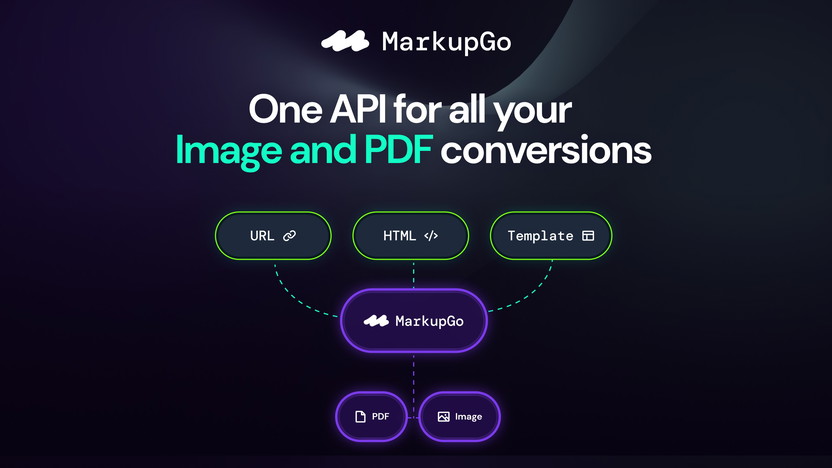
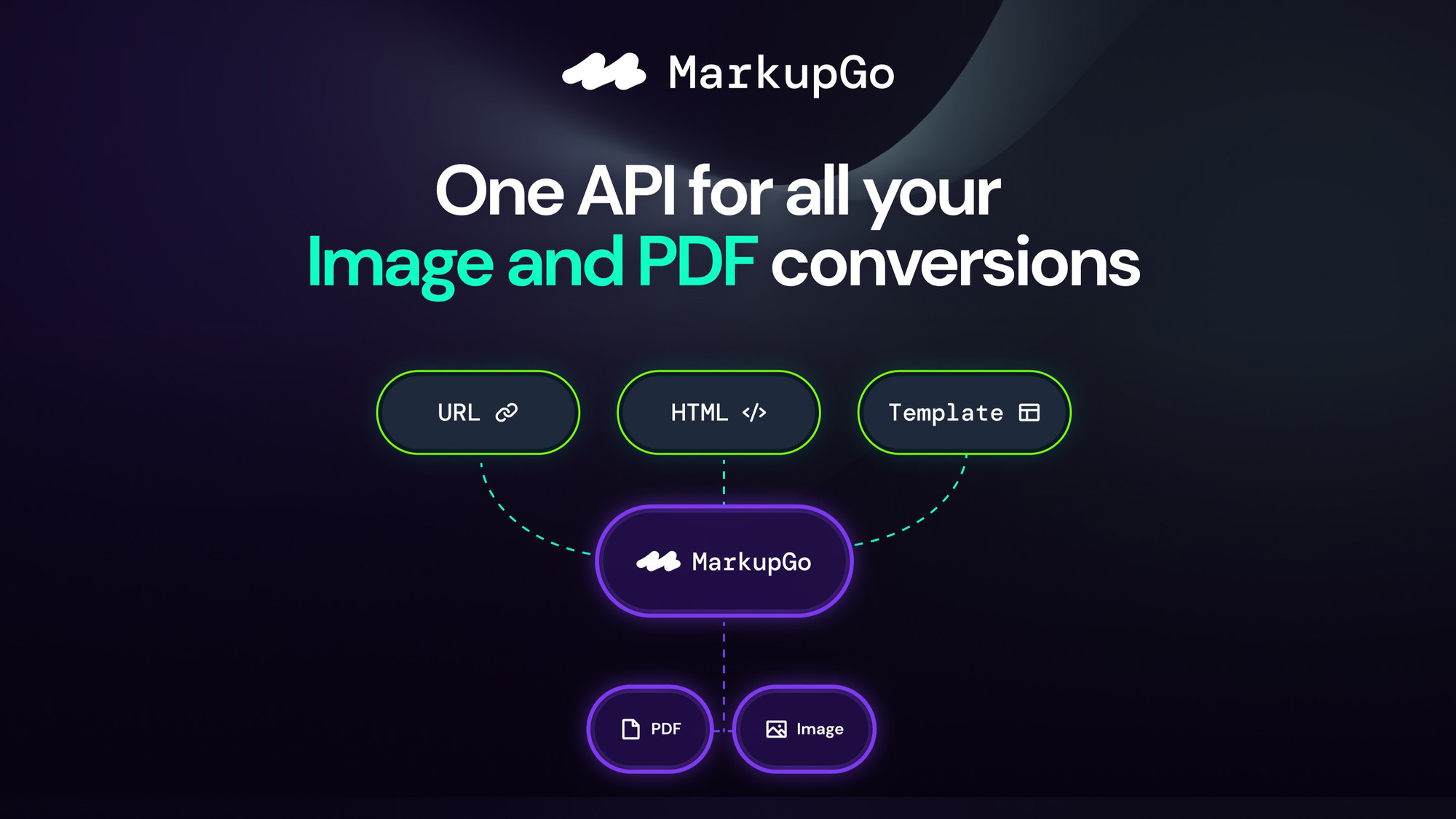
MarkupGo is a powerful API platform that automates the creation of PDFs and images. It transforms web content into professional documents with ease.
MarkupGo offers a seamless solution for businesses needing high-quality PDFs and images from URLs or HTML templates. This all-in-one platform is designed to simplify document and image generation, ensuring consistent and polished results. Whether you need to convert web pages or design reusable templates, MarkupGo has the features to meet your needs. Its detailed usage monitoring helps manage resources effectively, making it an ideal choice for those looking to streamline their workflow. Discover more about its features and benefits here.
Credit: appsumo.com
Introduction To MarkupGo
MarkupGo is a robust API platform designed to streamline the conversion of images and PDFs from various sources. It promises consistent and professional results, making it an essential tool for businesses and developers alike.
Overview Of Markupgo
MarkupGo offers a comprehensive solution for generating high-quality PDFs and images. With its ability to convert URLs, HTML, CSS, and JavaScript templates, users can create pixel-perfect documents and images effortlessly. The platform also supports SVGs, emojis, and custom elements, ensuring a versatile and dynamic output.

Credit: appsumo.com
Purpose And Benefits
The main purpose of MarkupGo is to automate and simplify the creation of documents and images. Here are some key benefits:
- Streamlines creation: MarkupGo makes the creation and management of professional-quality documents easy.
- Consistent conversions: It ensures high-fidelity conversions from web pages to PDFs and images.
- Full control: Users have full control over document appearance with support for dynamic elements.
- Enhanced productivity: The platform enhances productivity with efficient and automated processes.
- Detailed usage reports: MarkupGo provides detailed usage reports for better resource management.
To illustrate its features, here is a table summarizing the main features of MarkupGo:
| Feature | Description |
|---|---|
| Template Creation | Design reusable templates with HTML, CSS, and JavaScript; preview and customize templates in real time. |
| PDF/Image Generation | Convert web pages to pixel-perfect PDFs and images, supporting SVGs, emojis, and custom elements. |
| HTML to PDF/Image Conversion | Generate high-quality documents from HTML content with CSS and JavaScript support. |
| Image Transformation | Resize, crop, rotate, and apply filters to images for optimized performance and quality. |
| Usage Monitoring | Detailed tracking of downloads and bandwidth to manage account performance and resource allocation. |
MarkupGo offers three pricing plans to cater to different needs:
- Plan 1: $49 one-time payment, includes 1,000 credits/month, 10 templates, and full API access.
- Plan 2: $98 one-time payment, includes 3,000 credits/month, 30 templates, full API access, and Image Transformation API.
- Plan 3: $147 one-time payment, includes 5,000 credits/month, unlimited templates, full API access, and Image Transformation API.
All plans come with a 60-day money-back guarantee and lifetime access to the platform. This ensures that users can try MarkupGo risk-free and enjoy its benefits for a lifetime with a one-time purchase.

Credit: appsumo.com
Key Features Of Markupgo
MarkupGo offers robust features designed to streamline the process of generating high-quality PDFs and images from URLs, HTML, CSS, and JavaScript templates. These features ensure consistent and professional results with minimal effort.
The drag-and-drop builder in MarkupGo allows users to easily design and customize templates. This intuitive interface makes adding and arranging elements on the page simple, enabling even those with minimal technical knowledge to create professional documents.
MarkupGo supports responsive design capabilities, ensuring your PDFs and images look great on any device. The platform automatically adjusts content to fit different screen sizes, providing a seamless experience for end-users.
With advanced CSS and JavaScript integration, MarkupGo offers full control over the appearance and functionality of your documents. This feature allows you to incorporate dynamic elements, animations, and custom styling, resulting in visually appealing and interactive content.
The extensive template library in MarkupGo provides a wide range of pre-designed templates to choose from. These templates can be customized to suit your specific needs, saving you time and effort in creating documents from scratch.
MarkupGo includes powerful SEO optimization tools to help improve the visibility of your documents on search engines. These tools ensure that your PDFs and images are optimized for search engine indexing, enhancing their discoverability and reach.
Here is a table summarizing the main features of MarkupGo:
| Feature | Description |
|---|---|
| Drag-and-Drop Builder | Easy template design and customization with a simple interface. |
| Responsive Design Capabilities | Ensures documents look great on any device. |
| Advanced CSS and JavaScript Integration | Full control over document appearance with dynamic elements. |
| Template Library | Wide range of pre-designed, customizable templates. |
| SEO Optimization Tools | Improves document visibility on search engines. |
MarkupGo is designed to simplify and automate the process of creating professional-quality documents and images. Its features are tailored to meet the needs of users looking for efficiency, customization, and high performance.

Drag-and-drop Builder
MarkupGo’s Drag-and-Drop Builder simplifies the creation and customization of PDFs and images. This feature allows users to easily design and modify their documents with minimal effort.
Ease Of Use
The Drag-and-Drop Builder is designed for ease of use, making it accessible to users of all skill levels. With an intuitive interface, users can quickly add and arrange elements on their templates. No advanced coding skills are required.
| Feature | Benefit |
|---|---|
| Intuitive Interface | Easy navigation and element placement |
| No Coding Required | Accessible to non-developers |
Customization Options
The Drag-and-Drop Builder offers extensive customization options. Users can tailor their templates to meet specific needs. With support for HTML, CSS, and JavaScript, the possibilities are endless.
- HTML Support: Use HTML to structure your documents.
- CSS Styling: Customize the look and feel with CSS.
- JavaScript: Add dynamic elements and functionality.
How It Saves Time
Using the Drag-and-Drop Builder can significantly save time in document creation and customization. The builder streamlines the process, allowing for quick modifications and real-time previews.
- Quick Modifications: Easily adjust elements on the fly.
- Real-Time Previews: See changes instantly.
- Automated Processes: Reduce manual effort with automation.
MarkupGo’s Drag-and-Drop Builder is a powerful tool designed to enhance productivity and simplify the creation of professional-quality documents.

Responsive Design Capabilities
MarkupGo offers robust responsive design capabilities, ensuring your documents and images look perfect on all devices. This feature is crucial for delivering high-quality user experiences across different platforms.
Mobile-friendly Designs
Creating mobile-friendly designs is a breeze with MarkupGo. You can design reusable templates using HTML, CSS, and JavaScript, and preview them in real time. This ensures that your content adjusts seamlessly to different screen sizes, providing a consistent and professional appearance on mobile devices.
MarkupGo supports dynamic elements and custom components. This allows you to create visually appealing and functional designs that enhance user engagement on mobile platforms.
Cross-browser Compatibility
Ensuring cross-browser compatibility is essential for any web-based project. MarkupGo converts web pages to pixel-perfect PDFs and images, supporting various elements like SVGs and emojis. This ensures that your documents render correctly across different browsers, maintaining their quality and integrity.
With full control over the document appearance, you can guarantee that your content looks consistent and professional, regardless of the browser used by your audience.
“Imagination is more important than knowledge. For knowledge is limited, whereas imagination embraces the entire world.”- Albert Einstein
User Experience Enhancement
Enhancing the user experience is at the core of MarkupGo’s responsive design capabilities. With features like image transformation, you can resize, crop, rotate, and apply filters to images. This optimizes performance and quality, ensuring that users have a smooth and engaging experience.
The platform also provides detailed usage reports for better resource management. This helps you monitor downloads and bandwidth, ensuring efficient use of resources and enhancing overall productivity.
Advanced CSS and JavaScript Integration
MarkupGo offers seamless integration of CSS and JavaScript, making it an excellent choice for developers. This feature allows for the creation of dynamic and visually appealing documents. Let’s explore the key benefits of advanced CSS and JavaScript integration in MarkupGo.
Flexibility For Developers
MarkupGo provides developers with the flexibility to design custom templates using HTML, CSS, and JavaScript. This means you can create reusable templates that suit your project needs. The platform also allows you to preview and customize templates in real time, ensuring that your documents look exactly how you want them to.
- Design custom templates with HTML, CSS, and JavaScript
- Preview and customize templates in real-time
- Reusable templates for consistent results
Enhanced Customization
With advanced CSS and JavaScript integration, you can achieve enhanced customization for your documents. MarkupGo supports dynamic elements, allowing you to add custom styles and scripts to create unique and professional-quality documents. You have full control over the appearance of your documents, ensuring they meet your specific requirements.
Key customization features include:
| Feature | Description |
|---|---|
| Dynamic Elements | Add custom styles and scripts |
| Full Control | Over the document appearance |
| Professional Quality | Create unique documents |
Solving Complex Design Problems
MarkupGo helps developers solve complex design problems with ease. The integration of CSS and JavaScript ensures that your documents are not just functional but also visually appealing. You can use CSS for styling and JavaScript for dynamic content, making it easier to handle complex design requirements.
Examples of solving design problems include:
- Creating responsive layouts with CSS
- Adding interactive elements with JavaScript
- Ensuring high-fidelity conversions from web pages to PDFs/images
By leveraging these features, developers can produce high-quality, consistent documents that meet their design and functionality needs.
Credit: m.youtube.com
Template Library
The Template Library in MarkupGo is a powerful feature designed to simplify and enhance your document and image creation process. It provides a wide range of templates that cater to various needs and preferences. This feature is particularly beneficial for beginners and those seeking customizable options.
Variety Of Templates
MarkupGo offers a diverse collection of templates. These templates are designed using HTML, CSS, and JavaScript. Users can find templates for different types of documents and images, ensuring a solution for every requirement. The library includes templates for:
- Business Reports
- Invoices
- Marketing Materials
- Presentations
Having a variety of templates at your disposal ensures that you can quickly find a design that meets your needs without having to start from scratch.
Time-saving For Beginners
For beginners, the Template Library is a valuable resource. It eliminates the need for extensive design skills. New users can simply select a template and customize it to suit their needs. This saves a significant amount of time and effort. The process is straightforward:
- Select a template.
- Preview the template in real time.
- Customize the template as needed.
This streamlined process allows beginners to produce professional-quality documents and images with ease.
Customizable Options
One of the standout features of the Template Library is the ability to customize templates. Users have full control over the appearance of their documents and images. Customizable options include:
- Changing colors and fonts.
- Adding or removing elements.
- Modifying layout and structure.
These options ensure that every document or image can be tailored to fit specific requirements, providing both flexibility and creativity.

Credit: appsumo.com
Seo Optimization Tools
MarkupGo offers a suite of SEO Optimization Tools designed to enhance your website’s visibility and drive more traffic. These tools ensure your content remains relevant and easily discoverable by search engines. Explore the range of features that make MarkupGo a powerful ally in your SEO strategy.
Built-in Seo Tools
MarkupGo includes built-in SEO tools that streamline the optimization process. These tools help you create SEO-friendly PDFs and images that improve your site’s performance.
- Template Creation: Design reusable templates with HTML, CSS, and JavaScript.
- PDF/Image Generation: Convert web pages to pixel-perfect PDFs and images.
- HTML to PDF/Image Conversion: Generate high-quality documents from HTML content.
- Image Transformation: Resize, crop, rotate, and apply filters to images.
Improving Search Engine Rankings
Using MarkupGo’s SEO optimization tools can significantly enhance your search engine rankings. By ensuring your content is well-structured and optimized, you can achieve better positions in search results.
| Feature | Benefit |
|---|---|
| Template Creation | Consistent, professional appearance |
| PDF/Image Generation | High-fidelity conversions |
| Image Transformation | Optimized performance and quality |
Driving More Traffic
By leveraging MarkupGo’s SEO optimization tools, you can drive more traffic to your site. The platform ensures your content remains relevant and easily indexed by search engines.
- Create high-quality, optimized content.
- Use the built-in tools for consistent optimization.
- Monitor usage and adjust strategies as needed.
MarkupGo not only simplifies document and image generation but also enhances your SEO strategy. With its powerful tools, you can achieve better rankings and attract more visitors to your site.
Pricing And Affordability
One of the standout features of MarkupGo is its pricing and affordability. The platform offers flexible pricing plans to cater to various needs, ensuring every user gets the best value for their investment.
Pricing Plans Overview
MarkupGo provides three main pricing plans, each tailored to different usage levels:
| Plan | Price | Credits/Month | Templates | Features |
|---|---|---|---|---|
| Plan 1 | $49 (one-time) | 1,000 | 10 | Full API Access |
| Plan 2 | $98 (one-time) | 3,000 | 30 | Full API access, Image Transformation API |
| Plan 3 | $147 (one-time) | 5,000 | Unlimited | Full API access, Image Transformation API |
Value For Money
MarkupGo’s pricing plans offer excellent value for money. Each plan is a one-time payment, granting lifetime access to the platform. Users can benefit from:
- High-quality PDF and image generation
- Customizable templates
- Detailed usage monitoring
- Consistent and professional results
With a 60-day money-back guarantee, users can try MarkupGo risk-free.
Comparison With Competitors
MarkupGo stands out among competitors for several reasons:
- One-time payment compared to recurring subscription fees
- Generous monthly credits and template options
- Comprehensive API access, including image transformation
- Lifetime access ensures long-term savings
Other platforms often charge more for similar features or limit access to essential tools. MarkupGo offers a balanced mix of affordability and functionality, making it a cost-effective solution for businesses.
Pros And Cons Of Markupgo
MarkupGo offers a range of features designed to streamline document and image generation. Below, we will explore the pros and cons of this platform to help you determine if it’s the right solution for your needs.
Pros
- Template Creation: Design reusable templates with HTML, CSS, and JavaScript.
- Real-Time Preview: Customize templates and see changes instantly.
- High-Quality PDF/Image Generation: Convert web pages into pixel-perfect documents.
- Image Transformation: Resize, crop, rotate, and apply filters to images.
- HTML to PDF/Image Conversion: Support for SVGs, emojis, and custom elements.
- Usage Monitoring: Track downloads and bandwidth for better resource management.
- Automation: Automate document and image generation for consistent results.
- Lifetime Access: One-time payment grants lifetime access to the platform.
Cons
- Limited Credits: Monthly credits may not be sufficient for heavy users.
- Template Limitations: Lower plans limit the number of templates you can use.
- Initial Cost: The one-time payment might be high for some users.
| Plan | Cost | Credits/Month | Templates | Features |
|---|---|---|---|---|
| Plan 1 | $49 | 1,000 | 10 | Full API Access |
| Plan 2 | $98 | 3,000 | 30 | Full API Access, Image Transformation API |
| Plan 3 | $147 | 5,000 | Unlimited | Full API Access, Image Transformation API |
MarkupGo offers a 60-day money-back guarantee, allowing you to try the platform risk-free. If it doesn’t meet your needs, you can get a full refund within two months.
For more details, visit the MarkupGo product page.
Ideal Users And Scenarios
MarkupGo is a versatile tool designed to automate and enhance your document and image generation processes. It caters to various users and scenarios, making it an invaluable asset for many professionals and businesses.
Best Use Cases
- Web Developers: Convert web pages into pixel-perfect PDFs and images with ease.
- Designers: Create and preview reusable templates in real time.
- Marketing Teams: Generate professional-quality documents for campaigns.
- Content Creators: Transform HTML content into high-quality PDFs and images.
- Businesses: Automate document creation to streamline operations.
Who Will Benefit Most
| Profession | Benefits |
|---|---|
| Developers | Full control over document appearance with dynamic elements support. |
| Designers | Design and customize templates in real-time. |
| Marketing Teams | Consistent and high-fidelity conversions for marketing materials. |
| Businesses | Detailed usage reports for better resource management. |
Credit: appsumo.com
Frequently Asked Questions
What Are The Main Features Of Markupgo?
Markupgo offers intuitive design, real-time collaboration, and seamless integration. It also includes advanced editing tools and customizable templates. These features enhance productivity and streamline workflow.
How Does Markupgo Improve Productivity?
Markupgo improves productivity with its user-friendly interface and efficient tools. It allows for quick edits and real-time collaboration. This reduces the time spent on tasks.
Can Markupgo Integrate With Other Tools?
Yes, Markupgo integrates with popular tools like Google Drive and Slack. This ensures seamless workflow across different platforms. Integration simplifies data sharing and project management.
Is Markupgo Suitable For Beginners?
Markupgo is designed for all skill levels, including beginners. Its intuitive interface and easy-to-use features make it accessible. Beginners can quickly learn and start using it effectively.
Conclusion
The power of MarkupGo for your document and image needs. This platform makes creating high-quality PDFs and images easy and consistent. Manage templates, track usage, and enjoy detailed reports. Simplify your workflow and enhance productivity. Ready to explore the benefits? Check out MarkupGo today at MarkupGo.
