

Tags in Shopify help organize products, making them easier to find. They enhance the shopping experience for customers by simplifying product searches and categorization.
In the bustling world of e-commerce, keeping your online store well-organized is crucial. Shopify tags play a significant role in this organization. They allow you to label products with specific keywords, making it easier for customers to locate what they need.
Think of tags as labels that categorize your products into groups. This simple feature can improve navigation on your site, streamline inventory management, and boost your store’s overall efficiency. Whether you’re a seasoned Shopify user or new to the platform, understanding the purpose of tags can help enhance your store’s functionality and improve customer satisfaction. Let’s delve deeper into how tags can benefit your Shopify store.
Introduction To Shopify Tags
Shopify is a popular e-commerce platform that helps businesses set up online stores. One of its key features is the use of tags. These tags help manage products, customers, and orders efficiently. In this post, we will explore the purpose of tags in Shopify, starting with an introduction to what they are and why they are important.
Definition Of Tags
In Shopify, tags are labels or keywords assigned to products, customers, or orders. These tags help in organizing and categorizing items. For example, a product can have tags like “summer,” “sale,” or “new arrival.” Tags make it easier to search and filter items in your store.
Tags can be applied in different areas:
- Product tags: Used to categorize products.
- Customer tags: Help segment customers for marketing.
- Order tags: Assist in tracking and managing orders.
Importance In E-commerce
Tags play a crucial role in e-commerce. Here are some reasons why:
| Benefit | Description |
|---|---|
| Improved Search | Tags help customers find products quickly. |
| Better Organization | Tags keep your store organized and easy to navigate. |
| Effective Marketing | Customer tags help in creating targeted marketing campaigns. |
To summarize, using tags in Shopify is essential for efficient store management. They enhance the shopping experience for your customers and simplify your admin tasks.

Credit: www.nembol.com
Benefits Of Using Tags
Tags in Shopify are powerful tools that can greatly enhance your store’s functionality. They help in organizing products, improving search, and creating a better user experience. Let’s dive into the specific benefits of using tags in Shopify.
Improved Product Organization
Tags help in categorizing products effectively. This makes it easier for you to manage your inventory. For example, you can tag products by season, color, or type. This categorization allows for quick sorting and filtering. It saves time and reduces errors.
Consider the following table for a clear understanding:
| Tag Type | Example |
|---|---|
| Season | Winter, Summer |
| Color | Red, Blue |
| Type | Shoes, Jackets |
Enhanced Search Functionality
Tags improve the search experience for customers. They make it easy for users to find products. When customers type keywords, tagged items appear faster in search results. This leads to a better shopping experience and increases the chance of a sale.
Here are some key points:
- Faster search results due to relevant tags.
- Improved user experience with easy-to-find products.
- Increased sales from better search functionality.
By using tags, you can also create custom collections. This means you can group products based on tags. For instance, all ‘Summer Sale’ items can be in one collection. This makes promotions easier to manage.
Types Of Tags In Shopify
Understanding the different types of tags in Shopify can help you manage your online store more effectively. Tags make it easier to organize, filter, and find products, orders, and customers. Let’s explore the main types of tags you can use in Shopify.
Product Tags
Product tags help you categorize your inventory. Use these tags to label products based on attributes like color, size, and material. This makes it easier for customers to find what they are looking for.
- Color: Red, Blue, Green
- Size: Small, Medium, Large
- Material: Cotton, Polyester, Leather
Order Tags
Order tags help you track and manage orders. Use these tags to mark orders based on their status or priority. This helps you sort through orders quickly.
- Status: Pending, Shipped, Delivered
- Priority: High, Medium, Low
Customer Tags
Customer tags help you segment your customer base. Use these tags to group customers based on their purchase history or location. This allows you to tailor your marketing efforts.
- Purchase History: Repeat Buyer, First-time Buyer
- Location: USA, Canada, Europe
By using these different types of tags, you can improve the efficiency of your Shopify store. Tags make everything from inventory management to customer service easier.
How To Create And Manage Tags
Tags in Shopify help organize products, making it easier for customers to find what they need. Properly managing tags can improve your store’s navigation and user experience. This section will guide you through creating, editing, and deleting tags to keep your store organized.
Creating Tags
Creating tags in Shopify is straightforward. Follow these steps:
- Log in to your Shopify admin panel.
- Go to the Products section.
- Select the product you want to tag.
- In the Tags field, enter the tags you want to add. Separate each tag with a comma.
- Click Save to apply the tags.
Tags can be anything that describes your product, such as color, size, or material.
Editing And Deleting Tags
Edit or delete tags to keep your product listings current. Here’s how:
Editing Tags:
- Navigate to the Products section in your Shopify admin panel.
- Select the product with the tag you want to edit.
- In the Tags field, edit the tags as needed.
- Click Save to update the tags.
Deleting Tags:
- Go to the Products section in your Shopify admin panel.
- Choose the product with the tag you wish to delete.
- In the Tags field, remove the tag you want to delete.
- Click Save to remove the tag.
Managing tags effectively can enhance your store’s search functionality. It helps customers find products quickly.
Best Practices For Tagging
Tags in Shopify help organize products. They make it easier for customers to find items. Using tags correctly improves your store’s search functionality. It also helps manage inventory better. Here are some best practices for tagging in Shopify.
Consistent Tagging
Consistency is key in tagging. Use the same tag for similar items. This helps customers find related products. For example, use “blue shirt” for all blue shirts. Avoid variations like “blue tee” or “blue top.” Consistent tags keep your store organized. They also make searches more effective.
Avoiding Tag Overload
Too many tags can confuse customers. Use only relevant tags. For instance, don’t add “summer” to winter clothes. Focus on the main features of each product. Tags like color, size, and type are useful. Overloading tags makes it harder to find products. Keep it simple and relevant. This improves the shopping experience.
Using Tags For Marketing
Using tags in Shopify can greatly enhance your marketing efforts. Tags help you organize and manage your products and customers. You can leverage tags to create more targeted marketing strategies. Let’s explore how you can use tags for marketing.
Targeted Email Campaigns
Tags allow you to segment your customer base. You can create groups based on purchase history, interests, or location. This segmentation helps you send more relevant email campaigns. For example, tag customers who bought winter clothing. Then, send them emails about new winter collections or related products.
Tagging also helps you track customer behavior. Notice trends and buying patterns. Use this data to craft personalized messages. This increases the chances of higher engagement and conversions.
Personalized Customer Experience
Tags help tailor the shopping experience for each customer. By tagging products and customers, you can recommend items that match their preferences. This makes the shopping experience more enjoyable.
For instance, tag products as “bestsellers” or “new arrivals.” Show these tags to customers who prefer trending items. This personalized approach makes customers feel valued. It also encourages repeat purchases.
Tags also aid in providing better customer service. Tag customers based on their issues or inquiries. This helps your support team respond more effectively. They can quickly access the relevant information and provide appropriate solutions.
Analyzing Tag Performance
Tags in Shopify are essential for organizing products and understanding sales trends. Analyzing tag performance can reveal valuable insights into your store’s operations. This helps in making data-driven decisions to boost your business. Let’s dive into how you can track sales and understand customer behavior through tags.
Tracking Sales By Tags
Tracking sales by tags helps identify which products sell well. You can group similar items under one tag. For example, use tags like “summer collection” or “holiday sale.” This makes it easier to see how different collections perform. You can also spot trends by comparing sales data across tags. This information can guide future promotions and stock decisions.
Customer Behavior Insights
Tags can also reveal customer preferences. By analyzing tags, you can see what customers search for most. This helps tailor your marketing strategies. For instance, if “eco-friendly” is a popular tag, promote more green products. You can also use tags to track seasonal buying habits. This data helps in planning inventory and marketing campaigns. Understanding customer behavior through tags can enhance the shopping experience. It can lead to increased customer satisfaction and higher sales.
Common Mistakes To Avoid
Tags in Shopify are very useful. They help organize products and collections. But many make common mistakes. This can confuse customers and affect sales. To help, let’s look at some common mistakes to avoid.
Over-tagging
Over-tagging is a frequent mistake. Adding too many tags makes it hard to find products. For example, using “red shirt,” “blue shirt,” and “green shirt” for a single product is confusing. Instead, use “shirt” and color tags separately.
Keep tags simple and clear. This helps in better product organization. Customers find what they need quickly.
Irrelevant Tags
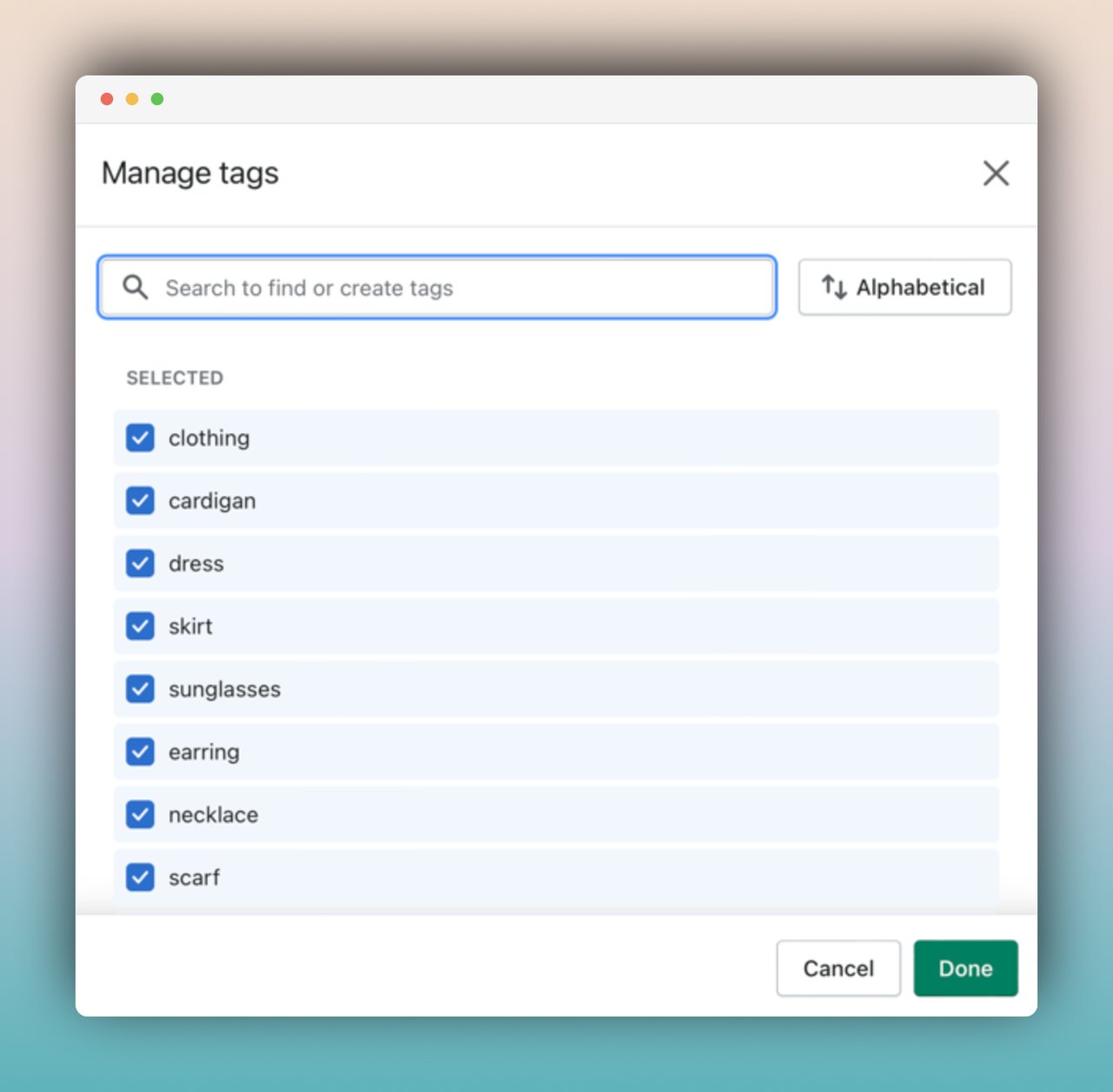
Irrelevant tags confuse customers. For instance, tagging a shirt as “summer” and “winter” is misleading. Make sure each tag matches the product. This ensures customers see only relevant items.
Use specific and related tags. This improves search results. Customers have a better experience on your site.
Credit: popupsmart.com
Frequently Asked Questions
What Are Tags In Shopify?
Tags in Shopify are keywords assigned to products, orders, or customers. They help organize and filter items within your store, making management easier.
How Do Tags Help In Shopify?
Tags help by improving search functionality and organization. They allow you to categorize and filter products efficiently, enhancing the shopping experience.
Can Tags Improve Seo In Shopify?
Yes, tags can improve SEO. They make your products more discoverable in search results by linking relevant keywords to your items.
How To Add Tags To Shopify Products?
To add tags, go to the product page in Shopify. Scroll to the “Tags” section and enter your desired keywords.
Conclusion
Tags in Shopify boost organization and improve customer experience. They make searches easier. Tags also assist in inventory management. They help categorize products effectively. This leads to better sales performance. Tags enhance SEO by improving site structure. Effective tagging can lead to higher visibility.
They make navigation smoother for users. Proper tags save time and effort. They are essential for efficient store management. Use tags wisely to maximize Shopify’s potential.
