

A professional-looking Shopify store boosts trust and attracts more customers. It’s crucial for your online success.
Creating a store that looks polished can seem challenging. Yet, with the right steps, you can make your Shopify store shine. A well-designed store not only reflects your brand but also enhances user experience. Your store needs to look neat, organized, and visually appealing.
This helps in convincing visitors to stay and explore. In this guide, we’ll show you simple tips and tricks to make your Shopify store look professional. From design elements to navigation, we’ll cover all the key aspects. Ready to transform your store into a professional online shop? Let’s get started!

Credit: predis.ai
Choose The Right Theme
Choosing the right theme is crucial for making your Shopify store look professional. Your theme sets the tone for your entire store. It impacts the user experience and reflects your brand’s image. A good theme should be visually appealing and functional.
Selecting A Responsive Theme
A responsive theme adjusts to different screen sizes. This ensures a seamless experience for all visitors. Whether on a desktop, tablet, or smartphone, your store should look great. Most shoppers use their phones to browse and buy. A responsive theme helps you cater to this audience. It also improves your store’s search engine ranking. Search engines favor mobile-friendly sites.
Customizing Theme Settings
Customizing theme settings allows you to make your store unique. Start with the basics like colors and fonts. Choose colors that match your brand. Pick fonts that are easy to read. Then, move to more advanced settings. Add your logo and adjust the layout. Make sure your store’s navigation is simple. A clean, easy-to-navigate site keeps visitors engaged. Don’t forget to test your changes. Check how your store looks on different devices. This ensures your customizations work well everywhere.
Branding Your Store
Branding your Shopify store is crucial for creating a professional look. A strong brand helps customers remember you and builds trust. It also sets you apart from competitors. To achieve this, focus on key branding elements such as your logo and brand colors.
Creating A Logo
Your logo is the face of your store. It should be simple and memorable. A good logo reflects your store’s personality. Use online tools or hire a designer to create a professional logo. Ensure it looks good on all devices. Test different sizes and formats. Your logo should be clear and readable, even in small sizes.
Choosing Brand Colors
Colors play a big role in branding. They evoke emotions and set the tone. Choose a color palette that matches your brand. Stick to two or three main colors. Use these colors consistently across your store. This includes your website, packaging, and social media. Consistent colors make your brand recognizable and professional.
Optimizing Product Pages
Optimizing product pages is crucial for a professional Shopify store. It can impact customer experience and sales. Focus on key elements like images and descriptions. This can make a big difference.
High-quality Product Images
High-quality images are essential. They grab attention and build trust. Ensure your images are clear and well-lit. Use multiple angles to give a full view.
- Use a white background for a clean look.
- Show the product in use to give context.
- Include zoom options for detailed viewing.
| Image Type | Description |
|---|---|
| Main Image | Primary image that appears first. |
| Additional Angles | Other views of the product. |
| Contextual | Shows the product in use. |
Detailed Product Descriptions
A detailed product description is vital. It informs and persuades potential customers. Write clear and concise descriptions. Highlight key features and benefits.
- Start with a short, engaging summary.
- List key features in bullet points.
- Include product dimensions and materials.
Use simple language. Avoid jargon. Make sure the text is easy to read. A good product description can reduce customer queries. It can also improve SEO by including relevant keywords naturally.
Enhancing Website Navigation
Enhancing website navigation is key to making your Shopify store look professional. Good navigation helps users find what they need quickly. It also improves their overall shopping experience. Let’s explore some ways to improve your store’s navigation.
Organizing Categories
Start by creating clear and logical categories. Group similar products together. This helps visitors find items easily. Use simple and descriptive names for each category. Avoid using jargon or complex terms. Keep the number of categories manageable. Too many can overwhelm users. A clean and organized menu can make a big difference.
Implementing Search Functionality
A search bar is essential for any online store. It allows users to find products quickly. Place the search bar in a prominent location. Ensure it is easy to see and use. Make sure it works well on both desktop and mobile devices. An effective search function can greatly improve user experience. It can also increase your sales.
Building Trust With Customers
Creating a professional Shopify store requires more than just a sleek design. Trust is the foundation of any successful online store. Customers need to feel confident in their purchasing decisions. To build trust, focus on transparency, reliability, and social proof.
Adding Customer Reviews
Customer reviews are powerful. They show real experiences from other buyers. Add a section for reviews on your product pages. Encourage satisfied customers to leave feedback. Positive reviews can greatly influence new visitors.
- Highlight honest reviews
- Respond to both positive and negative feedback
- Showcase reviews with photos
Use apps like Loox or Yotpo to collect and display reviews. These tools integrate seamlessly with Shopify. They make it easy for customers to leave reviews.
Displaying Trust Badges
Trust badges are small icons that reassure customers. They show that your store is secure and reliable. Place them prominently on your site. Common trust badges include:
| Badge Type | Example |
|---|---|
| Security | SSL Secure, Norton Secured |
| Payment | Accepted Payments (Visa, MasterCard) |
| Guarantee | Money-Back Guarantee |
Include badges at checkout, in the footer, and product pages. They help reduce cart abandonment. Customers feel safer knowing their information is secure.

Credit: www.youtube.com
Improving Site Performance
Improving your Shopify store’s performance is key to a professional look. A fast, responsive site enhances user experience. It also boosts SEO rankings. Customers prefer websites that load quickly and work well on mobile devices. Let’s explore ways to improve your site’s performance.
Speed Optimization Tips
Speed is crucial. Slow websites frustrate visitors. Compress images before uploading. This reduces load time without losing quality. Use a reliable image compression tool.
Minimize the use of heavy scripts and plugins. These can slow your site. Only use essential plugins. Too many can cause lag. Choose lightweight, optimized themes. They load faster and perform better.
Enable browser caching. This stores elements of your site on users’ devices. It speeds up repeat visits. Also, consider using a content delivery network (CDN). CDNs distribute your content globally. This reduces load times for distant users.
Mobile-friendly Design
More people shop on mobile devices. A mobile-friendly design is essential. Choose a responsive theme. It adjusts to any screen size. Test your site on various devices. Ensure it looks good everywhere.
Optimize your mobile navigation. Use clear, simple menus. Avoid clutter. Users should find what they need easily. Large buttons and readable fonts improve usability.
Reduce pop-ups and interstitials. They can be annoying on mobile. Keep forms short and simple. Long forms can frustrate users. A smooth mobile experience keeps visitors engaged.
Effective Use Of Apps And Plugins
Making your Shopify store look professional involves more than just a sleek design. The effective use of apps and plugins can enhance functionality and improve user experience. Apps and plugins can help customize your store, streamline operations, and drive sales. Let’s explore how to leverage them effectively.
Essential Apps For Shopify
Apps can add valuable features to your Shopify store. Here are some essential apps to consider:
- Oberlo: Ideal for dropshipping, it helps in importing products and managing orders.
- Klaviyo: Enhances email marketing with automation and analytics.
- Yotpo: Collects and displays customer reviews, boosting credibility.
- Smile.io: Creates a loyalty program to retain customers.
| App | Purpose |
|---|---|
| Oberlo | Product import and order management |
| Klaviyo | Email marketing automation |
| Yotpo | Customer reviews |
| Smile.io | Loyalty programs |
Customizing With Plugins
Plugins allow for more personalization. They can help you meet specific needs. Here’s how:
- PageFly: Create custom landing pages without coding. Drag-and-drop interface.
- Bold Subscriptions: Set up subscription services. Ideal for recurring products.
- SEO Manager: Improve SEO with easy-to-use tools. Boost your search engine rankings.
- Wishlist Plus: Add a wishlist feature. Encourage future purchases and customer engagement.
Choosing the right plugins can make your store more user-friendly. It helps in creating a unique shopping experience.
Enhancing User Experience
Creating a professional Shopify store involves focusing on enhancing user experience. This not only helps in retaining customers but also in converting visitors into buyers. Here are some effective ways to enhance user experience on your Shopify store.
Easy Checkout Process
An easy checkout process is crucial for a professional store. Complex checkout can frustrate customers and lead to cart abandonment.
- Minimize the number of steps: Try to keep the checkout process to three steps or less.
- Guest checkout option: Allow customers to purchase without creating an account.
- Auto-fill forms: Use auto-fill for forms to save customers time.
- Clear error messages: If an error occurs, ensure the message is clear and helpful.
A streamlined checkout process can significantly improve user experience and boost sales.
Engaging Call-to-actions
Engaging call-to-actions (CTAs) are essential in guiding customers through your store. Effective CTAs can lead to higher conversion rates.
- Be clear and concise: Use simple language that tells customers exactly what to do.
- Use action-oriented words: Words like “Buy Now,” “Shop Today,” and “Add to Cart” are effective.
- Standout design: Make your CTA buttons noticeable with contrasting colors and readable fonts.
Effective CTAs can significantly enhance user experience and drive conversions.
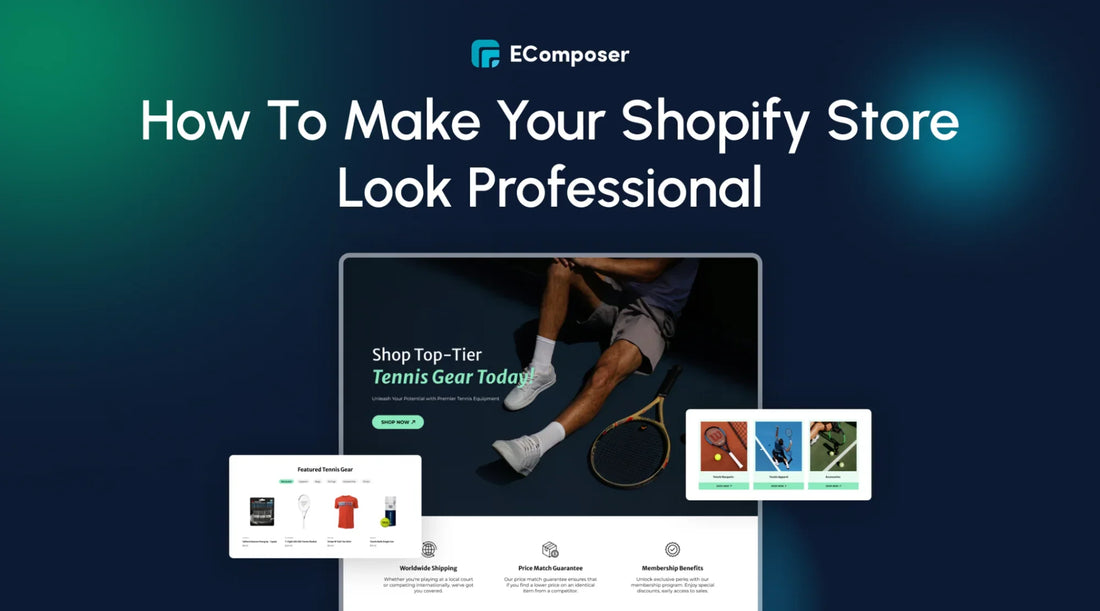
Credit: ecomposer.io
Frequently Asked Questions
How Can I Make My Shopify Store Look Professional?
To make your Shopify store look professional, use a clean, modern theme. Ensure your branding is consistent. High-quality images and clear product descriptions are essential. Make navigation user-friendly. Add customer reviews and trust badges for credibility.
What Are The Best Shopify Themes For A Professional Look?
The best Shopify themes for a professional look are “Debut”, “Brooklyn”, and “Minimal”. These themes are clean, modern, and customizable. They offer responsive designs, ensuring your store looks great on all devices.
How Important Is Branding For A Shopify Store?
Branding is crucial for a Shopify store. It creates a memorable identity and builds customer trust. Consistent branding across your site, packaging, and social media reinforces your store’s professionalism and reliability.
How Do I Improve Navigation On My Shopify Store?
Improve navigation by using clear, concise menus and categories. Make sure your search bar is easily accessible. Use breadcrumb navigation to help users find their way back. Keep the layout simple and intuitive.
Conclusion
Creating a professional Shopify store is achievable with simple steps. Focus on clean design. Make sure your images are high quality. Write clear product descriptions. Add customer reviews for trust. Use easy navigation menus. Optimize for mobile users. Provide excellent customer service.
Monitor and tweak your store regularly. Consistency and attention to detail matter. Your efforts will pay off with a polished, professional store.
