
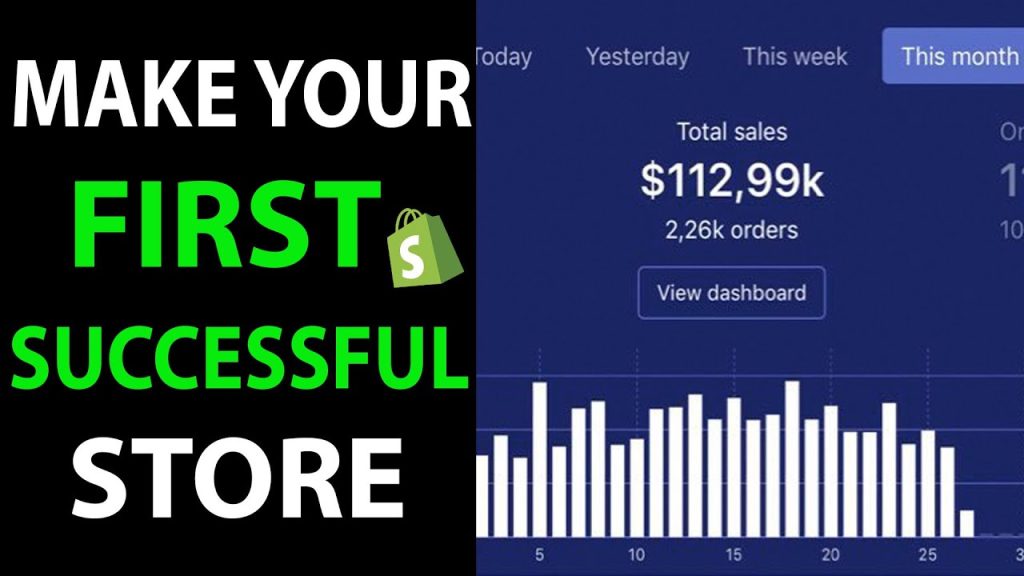
Starting a successful Shopify store requires a clear plan and the right steps. It can seem challenging, but with guidance, you can achieve it.
E-commerce has changed the way we shop. Shopify makes it easy for anyone to start an online store. Whether you have a product idea or want to expand your business online, Shopify offers tools to help. The platform is user-friendly, even for beginners.
It provides templates, apps, and support to help you succeed. In this blog post, we will explore the key steps to launching a profitable Shopify store. From setting up your account to marketing your products, we will cover everything you need to know. Ready to turn your dream into reality? Let’s get started!
Choosing Your Niche
Choosing your niche is the first step to starting a successful Shopify store. A well-defined niche helps you attract the right audience. It makes your marketing efforts more effective. Let’s dive into how you can choose the perfect niche for your store.
Identifying Market Gaps
Look for areas where customer needs are not fully met. Browse forums, social media, and customer reviews. Pay attention to what people are saying. Are there products they wish existed? These gaps can be your goldmine.
Another way to spot gaps is by using keyword research tools. See what people are searching for. If search volume is high but results are few, you may have found a niche.
Evaluating Competition
Research your potential competitors. Visit their websites. Note their strengths and weaknesses. What do they offer? How do they price their products? This can give you insights into what works and what doesn’t.
Use tools like SEMrush or Ahrefs to analyze their traffic. High traffic indicates a healthy market. But too many competitors might mean fierce competition. Aim for a balanced market with room for growth.
Read customer reviews on competitor sites. Understand what customers like and dislike. This can help you improve your offerings. Stand out by addressing these pain points.
Market Research
Market research is a crucial step when starting a successful Shopify store. It helps you understand your niche, target audience, and the trends shaping the market. This process ensures you offer what customers want, giving you a higher chance of success.
Analyzing Trends
Identify current trends in your niche. Use tools like Google Trends to see what products are popular. Check social media platforms for trending topics and products. This helps you stay updated and relevant. Knowing what’s in demand helps you stock the right items. It also gives you insight into future trends.
Understanding Target Audience
Know who your customers are. Study their age, gender, and interests. Understand their buying behavior. Are they price-sensitive or value quality? Use surveys and feedback to gather information. Look at your competitors’ audience too. This helps you tailor your products to meet their needs. A well-defined target audience leads to better marketing strategies.
Setting Up Your Shopify Account
Starting a Shopify store can be exciting and rewarding. The first step is to set up your Shopify account. This step is crucial as it lays the foundation for your online business. Follow these simple steps to create and optimize your Shopify account.
Creating Your Account
Visit the Shopify website. Click on the “Get Started” button. You will be asked to enter your email address, password, and store name. Make sure your store name is unique and reflects your business.
After entering your details, click on “Create Your Store”. Shopify will now ask you a few questions about your business. Answer these questions as accurately as possible to get the most relevant recommendations.
You will then be directed to your Shopify dashboard. This is where you will manage everything about your online store. Take a moment to familiarize yourself with the dashboard. It’s user-friendly and easy to navigate.
Choosing A Pricing Plan
Shopify offers different pricing plans. Choose one that fits your business needs. Here is a table to help you decide:
| Plan | Monthly Cost | Features |
|---|---|---|
| Basic | $29 | Best for new businesses |
| Shopify | $79 | Growing businesses |
| Advanced | $299 | Large businesses |
Each plan has its own set of features. Consider your budget and business goals. The Basic plan is good for new stores. The Shopify plan is for growing businesses. The Advanced plan suits large businesses.
You can always start with the Basic plan. Upgrade as your business grows. Shopify also offers a 14-day free trial. Use this trial period to explore the features.
Click on “Select Plan”. Enter your payment details. Confirm your subscription. You now have a fully functional Shopify account.
Credit: tiny-img.com
Designing Your Store
Creating a visually appealing and user-friendly Shopify store is crucial for attracting customers. The design should reflect your brand’s personality and make shopping easy. This process involves selecting a theme and customizing your layout. Let’s dive into these elements to get your store looking great.
Selecting A Theme
The first step in designing your Shopify store is selecting a theme. Shopify offers a range of themes that cater to different industries. Here are some tips to help you choose the right one:
- Consider your brand’s style and values.
- Check the theme’s responsiveness on various devices.
- Look for customizable options.
- Read reviews from other users.
Shopify themes come in free and paid versions. Free themes are good for beginners and small budgets. Paid themes offer more features and customization options.
Customizing Your Layout
After selecting a theme, the next step is customizing your layout. This process makes your store unique and tailored to your brand’s needs. Here are some key customization areas:
- Homepage: Ensure it is welcoming and highlights key products.
- Navigation: Make your menu simple and easy to use.
- Product Pages: Include high-quality images and detailed descriptions.
- Color Scheme: Choose colors that align with your brand.
Shopify’s drag-and-drop editor makes customization easy. You can add, remove, and rearrange sections without coding skills. This flexibility helps you create a store that looks professional and inviting.
Remember, a well-designed store builds trust and encourages purchases. Take the time to perfect your layout, and you will see positive results.
Adding Products
Adding products to your Shopify store is the most important step. It helps potential customers understand what you offer. This process involves several key elements. Two of the most important are product descriptions and high-quality images.
Product Descriptions
Effective product descriptions are essential. They tell your customers about the product. Use clear and simple language. Avoid complex words. Include key details like size, color, and material. Mention any special features. Answer common questions.
Short paragraphs work best. Use bullet points for easy reading:
- Size: Small, Medium, Large
- Color: Red, Blue, Green
- Material: 100% Cotton
Include keywords that customers might search for. This helps with SEO. For example, if you sell cotton T-shirts, use phrases like “comfortable cotton T-shirt” or “breathable cotton top”.
High-quality Images
Images are crucial for online shopping. Customers can’t touch or try the product. High-quality images help them visualize it. Use a good camera. Take photos from different angles. Show the product in use. For example, if selling clothes, show someone wearing them.
Follow these tips for better images:
- Use natural light
- Avoid clutter in the background
- Show close-up details
Images should be clear and sharp. Blurry photos turn customers away. Ensure the colors in the photos match the actual product. Inconsistent colors can lead to returns and unhappy customers. High-quality images build trust and boost sales.
Setting Up Payment Methods
Setting up payment methods for your Shopify store is crucial. It ensures customers can easily purchase products. You want a seamless and secure payment process. This will boost customer trust and satisfaction.
Choosing Payment Gateways
Choosing the right payment gateway is essential. It affects transaction fees, security, and user experience.
- Shopify Payments: This is Shopify’s own payment gateway. It’s easy to set up and integrate. It also saves you from paying extra transaction fees.
- PayPal: A popular choice worldwide. It’s trusted and widely used. You will need a PayPal Business account for your store.
- Stripe: Another great option. It supports many countries and currencies. It’s also known for its robust security features.
- Authorize.Net: Ideal for merchants in the United States. It offers advanced fraud detection and supports multiple currencies.
Select a payment gateway that suits your business needs. Consider transaction fees, security, and customer preferences.
Setting Up Taxes
Properly setting up taxes is vital for compliance. It ensures you charge the correct amount of tax to your customers.
- Go to your Shopify admin panel.
- Click on Settings.
- Select Taxes.
- Enter your tax rates based on your region.
- Save the changes.
Tax settings can vary based on your location. Some regions have specific tax rates for different products. Ensure you are aware of your local tax laws. This helps avoid legal issues and keeps your business compliant.
Proper payment and tax settings enhance customer trust. They also streamline your business operations.
Launching Your Store
Launching your Shopify store is an exciting step. It marks the beginning of your online business journey. Preparation is key to ensure a smooth launch and attract customers. Follow these simple steps to make your store launch successful.
Pre-launch Checklist
Before you go live, check everything carefully. Make sure your products are well-organized. Write clear and engaging product descriptions. Use high-quality images to showcase your products. Test the checkout process to ensure it works smoothly. Set up your payment gateways and shipping options. Verify that all links and buttons work properly. Review your store policies, including returns and shipping.
Announcing Your Launch
Spread the word about your new store. Use social media to create buzz. Share sneak peeks of your products. Engage with your audience to build excitement. Send out emails to your subscribers. Offer a special discount for the launch day. Ask friends and family to share your store. Consider running a small ad campaign. Ensure your store is ready for an influx of visitors. Monitor the launch day closely to address any issues quickly.

Credit: m.youtube.com
Marketing Strategies
Begin by selecting a niche that interests you for a Shopify store. Research products people want to buy online. Create a user-friendly website and focus on high-quality images and descriptions.
Starting a Shopify store is just the first step. To achieve success, you need effective marketing strategies. These strategies will help you attract customers and boost sales. Here are some proven methods to help your store thrive.Social Media Marketing
Social media platforms offer a vast audience. Use Facebook, Instagram, and Twitter to promote your store. Create engaging posts that showcase your products. Share high-quality images and videos. Use relevant hashtags to reach your target audience. Interact with your followers. Answer their questions and respond to their comments. Run paid ads to target specific demographics. This can help increase your reach and drive traffic to your store.Email Campaigns
Email marketing remains a powerful tool. Collect email addresses through your website. Offer discounts or free shipping to encourage sign-ups. Send regular newsletters with updates on new products and sales. Personalize your emails to make customers feel valued. Include clear calls to action. This will encourage recipients to visit your store. Track the performance of your email campaigns. Adjust your strategy based on what works best.Analyzing Performance
Analyzing performance is crucial for a Shopify store’s success. You need to know what works and what doesn’t. This helps you make informed decisions. Let’s dive into the tools and strategies you can use.
Using Analytics Tools
Analytics tools provide data on your store’s performance. They track visitor behavior, sales, and other metrics. Here are some tools you can use:
- Google Analytics: Tracks traffic and user behavior.
- Shopify Analytics: Offers insights on sales, products, and customers.
- Hotjar: Records user interactions on your site.
Google Analytics gives you data on where your traffic comes from. This helps you understand which channels are working best. Shopify Analytics shows you sales trends and top-performing products. Hotjar lets you see how users interact with your site. This helps you find and fix issues.
Adjusting Your Strategy
Once you have data, adjust your strategy to improve results. Here are steps to follow:
- Identify weak points in your store’s performance.
- Make small changes and track their impact.
- Repeat the process for continuous improvement.
If you notice high bounce rates, improve your site’s load time. If a product has low sales, review its description and images. Always test changes to see what works best. Use A/B testing for comparing two versions of a page.
Analyzing performance and adjusting strategies is an ongoing process. Regularly review your data and make changes. This ensures your Shopify store remains successful.
Customer Support
Customer support is crucial for the success of your Shopify store. It builds trust and retains customers. Efficient support can lead to repeat sales and positive reviews. Below are some key areas to focus on for excellent customer support.
Handling Inquiries
Respond to customer inquiries promptly. Aim to reply within 24 hours. Use automated responses to acknowledge receipt of their inquiry. This assures customers that you value their time.
Train your team to handle questions professionally. Provide them with a FAQ list. This helps in giving consistent answers. Use live chat support during peak hours. It offers real-time assistance and reduces waiting time.
Managing Returns
Have a clear return policy. Make it easy to find on your website. A straightforward policy builds customer trust. Include details like return window, condition requirements, and refund process.
Handle returns quickly. A smooth return process makes customers feel valued. Use return management software to track returns. This helps in processing them efficiently. Keep customers informed throughout the return process.
Credit: spiralscout.com
Frequently Asked Questions
What Is Shopify?
Shopify is an e-commerce platform that allows you to create an online store. It offers various tools to manage products, payments, and shipping.
How To Choose A Shopify Plan?
Choose a plan based on your business needs and budget. Shopify offers different plans with varying features and pricing.
How To Set Up Shopify Store?
Set up a Shopify store by signing up, choosing a theme, adding products, and configuring payment and shipping options.
How To Drive Traffic To Shopify Store?
Drive traffic to your Shopify store using SEO, social media marketing, email campaigns, and paid advertisements.
Conclusion
Starting a successful Shopify store is achievable with the right steps. Plan your business carefully. Choose a niche that you are passionate about. Set up your store with user-friendly navigation. Optimize product descriptions for search engines. Provide excellent customer service to build trust.
Market your store using social media and email campaigns. Monitor your store’s performance regularly. Adjust strategies based on analytics. Stay consistent and patient. Success takes time and effort. Follow these steps to see your Shopify store flourish. Happy selling!
