

Site123 makes website building easy. Anyone can create a site quickly.
No coding needed. It’s perfect for beginners and small businesses. Site123 offers a simple platform to create professional websites in three steps. Whether you want a blog, online store, or portfolio, Site123 has you covered. With its user-friendly interface, even those new to web design can build stunning sites.
Its pre-designed templates and intuitive tools streamline the process. You’ll have your website live in no time, saving effort and resources. Site123 is about simplicity and efficiency. It offers a practical solution for those wanting a web presence without the hassle. Let’s dive into how you can use Site123 to build your dream website.
Introduction To Site123
SITE123 LTD offers a simple solution for creating websites. It’s designed to help users build a website in just three easy steps. This platform is perfect for those who want to create a professional-looking site without technical expertise.
Understanding Site123 And Its Purpose
SITE123 is an online platform aimed at streamlining website creation. Its primary purpose is to empower users to design websites quickly and efficiently. SITE123 simplifies the process by providing pre-designed templates and intuitive tools. Users can customize their websites without needing coding skills.
Here’s what SITE123 offers:
- Easy-to-use interface
- Responsive design templates
- Customizable settings
- SEO-friendly options
Why Choose Site123 For Website Creation
Choosing SITE123 brings several benefits:
- Quick Setup: The platform allows users to create websites swiftly.
- User-Friendly: Its interface is simple to navigate for beginners.
- Cost-Effective: SITE123 provides affordable website building solutions.
- Responsive Design: Ensures your site looks good on all devices.
SITE123 is ideal for small businesses, bloggers, and anyone needing a web presence. Its features cater to diverse needs, making it a versatile tool for all users.
Getting Started With Site123
Site123 is a platform designed to make website creation simple. You can build a stunning website in three easy steps. This guide will walk you through the initial setup process. It’s beginner-friendly and requires no coding skills.
Creating An Account
To begin your journey, visit the official Site123 website. Click on the “Sign Up” button, which is typically located at the top right corner. You have the option to register using your email or social media accounts. Registration is quick and easy. Make sure to use a valid email for account verification.
After signing up, you will receive a confirmation email. Click the link in the email to verify your account. Verification allows you to access all features and start building your site immediately.
Choosing The Right Template For Your Site
Site123 offers a variety of templates tailored for different niches. Whether you are creating a portfolio, blog, or e-commerce site, there’s a template for you. Browse through the available options and select one that suits your needs.
Templates are organized by categories. You can view them by clicking on the “Templates” tab in your dashboard. Each template is customizable, allowing you to add your personal touch. Preview the template before selecting it. This helps you visualize how your site will look.
Once you choose a template, the platform will guide you through customization. Add your text, images, and other elements to make the site your own.
Customizing Your Site123 Website
Creating a website with SITE123 is simple, but customization is key. Tailor your site to match your unique style and needs. Enhance your site’s appearance and functionality using the tools provided by Site123. This guide will walk you through the process step by step.
Using The Site123 Editor
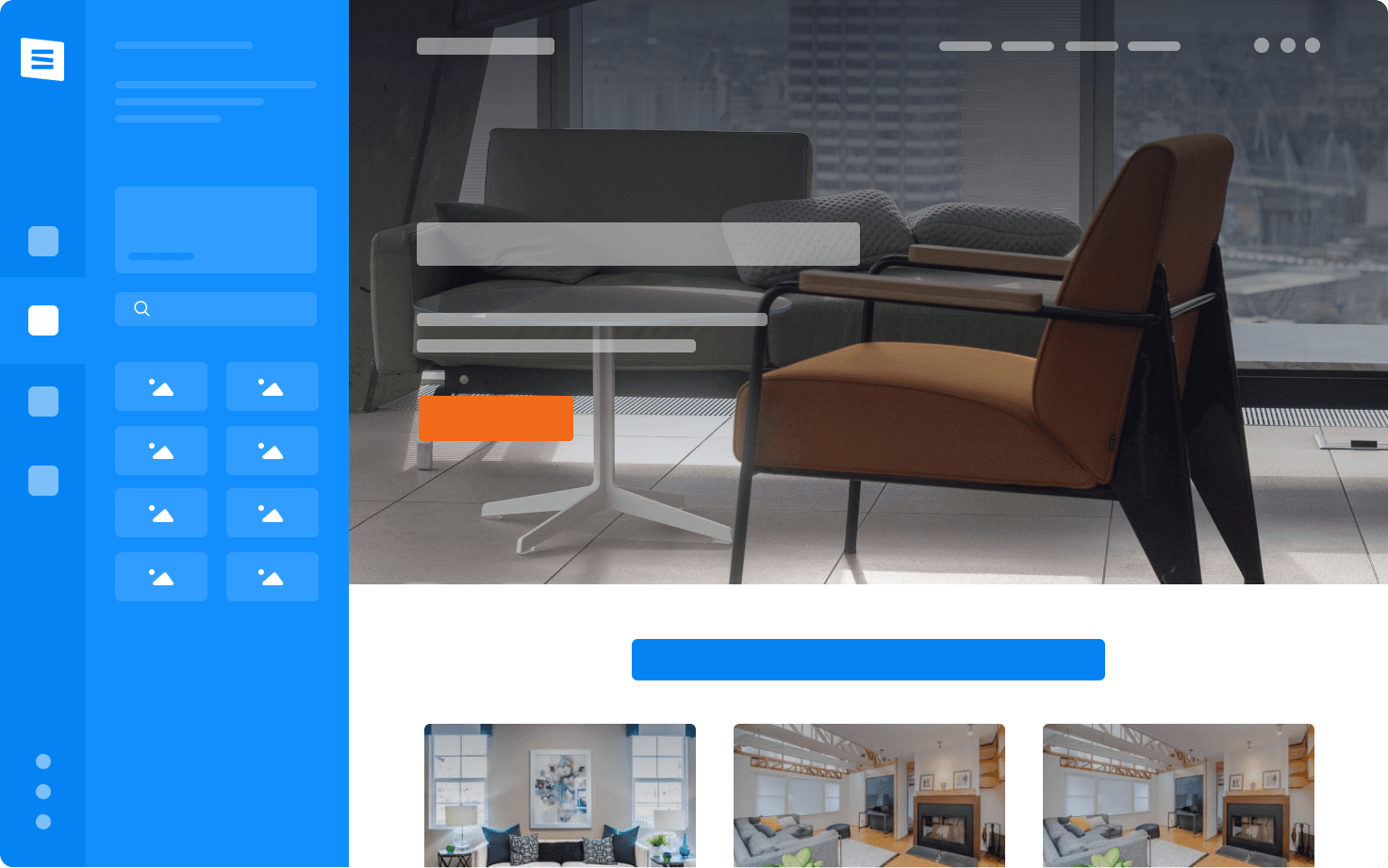
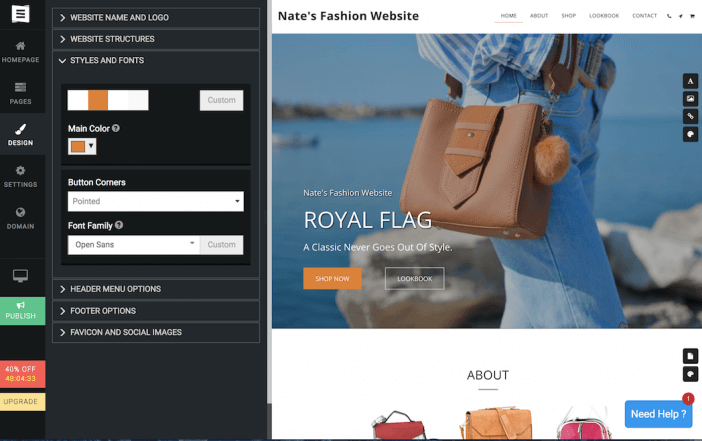
The Site123 Editor is intuitive and user-friendly. It allows you to make changes effortlessly. Start by selecting a template. Customize elements like fonts, colors, and layouts to reflect your brand. Use the drag-and-drop feature for easy rearrangement of components. Below is a table of key features available in the editor:
| Feature | Description |
|---|---|
| Drag-and-Drop | Move items around with ease. |
| Template Selection | Choose from various designs. |
| Font Options | Customize text appearance. |
Incorporating Your Branding And Style
Your website should reflect your brand identity. Use custom logos and taglines. Adjust the color scheme to align with your brand palette. Upload images and graphics that represent your business. Here’s a quick list to ensure your brand is well incorporated:
- Add your logo to the header.
- Choose a color scheme that matches your brand.
- Use custom fonts that complement your style.
- Include branded images and graphics.
Adding Pages And Content
Expand your site by adding pages. Each page should serve a purpose, from an ‘About Us’ section to a ‘Contact’ form. Use the Site123 editor to add and manage pages easily. Organize your content using headings and bullet points. Create engaging content to attract visitors and improve SEO. Follow these steps:
- Click ‘Add Page’ in the editor.
- Select a page template.
- Customize the content to suit your needs.
- Use headings to structure the content.
- Add images and videos for visual appeal.
Credit: www.site123.com
Key Features Of Site123
Site123 offers a range of features to build websites easily. It’s designed for simplicity and efficiency. Below, explore its notable features, from design to e-commerce integration.
Responsive Design Capabilities
Site123 boasts responsive design capabilities, ensuring your website looks great on any device. Whether on a phone, tablet, or computer, your site adjusts automatically. No need for separate designs for each screen size. This feature enhances user experience and keeps visitors engaged.
Seo Tools And Analytics
With Site123, you get built-in SEO tools and analytics to boost your online presence. Easily optimize your website for search engines. Use the analytics feature to track visitor data and site performance. Understand what works and make informed decisions to improve your site’s visibility.
E-commerce Integration
Site123 offers seamless e-commerce integration, perfect for online stores. Set up your shop quickly and manage products with ease. It supports various payment gateways, ensuring secure transactions. Enhance your customer’s shopping experience with a user-friendly interface.
Pricing And Plans
Choosing the right website builder involves understanding its pricing structure. SITE123 offers various plans to suit different needs and budgets. Let’s dive into the pricing tiers and evaluate their value for money.
Overview Of Site123 Pricing Tiers
SITE123 provides a straightforward pricing model. There are multiple plans available.
- Free Plan: Ideal for trying out basic features.
- Basic Plan: Offers more storage and removes SITE123 branding.
- Advanced Plan: Includes additional customization options.
- Professional Plan: Best for businesses needing comprehensive features.
The free plan is great for beginners. Paid plans offer increased functionality and fewer limitations.
Evaluating Value For Money
Each plan has unique benefits. It’s crucial to assess what you need.
| Plan | Features | Price |
|---|---|---|
| Free | Basic tools, SITE123 branding | $0 |
| Basic | More storage, no branding | $12/month |
| Advanced | Enhanced features, custom options | $20/month |
| Professional | Full suite, priority support | $28/month |
For small businesses, the Professional Plan offers significant advantages. It provides advanced features at a reasonable price.
Evaluate your needs. Choose a plan that aligns with your goals and budget.

Credit: www.youtube.com
Pros And Cons Of Using Site123
Site123 is a website builder designed to simplify creating websites. It offers a user-friendly interface and efficient tools. Understanding its pros and cons helps users make informed decisions.
Advantages Of Site123
- Ease of Use: Site123 provides a straightforward platform. Users can build websites with minimal effort.
- Pre-designed Templates: The platform offers various templates. Users can choose and customize them easily.
- Responsive Design: Websites created on Site123 are mobile-friendly. They adjust well across different devices.
- SEO Tools: Site123 includes basic SEO tools. They help improve website visibility on search engines.
Potential Drawbacks To Consider
- Limited Customization: Site123 has restricted design flexibility. Advanced users may find customization options lacking.
- Pricing: Advanced features require paid plans. Free plans have limitations affecting website functionality.
- Feature Depth: Some features may not be as robust. Complex sites might require additional tools or platforms.
Recommendations For Ideal Users
SITE123 is a straightforward tool for building websites. It’s designed for simplicity and efficiency. Understanding who benefits most from SITE123 helps in making the right choice. Let’s explore who should use this platform and the best scenarios for its application.
Who Should Use Site123?
SITE123 is perfect for individuals and small businesses. It suits those with limited technical skills. You don’t need coding knowledge to create a website. SITE123 is user-friendly and intuitive.
Freelancers can use SITE123 to showcase their work. They can easily create portfolios. Its simplicity makes it ideal for artists and designers. Beginners in web development find SITE123 helpful. It’s great for learning website creation basics.
Best Use Cases For Site123
SITE123 fits various scenarios. It’s ideal for personal blogs and online portfolios. Small business owners can quickly launch an online presence. SITE123 supports eCommerce, allowing easy setup of online stores.
Event organizers can create event pages swiftly. Nonprofits can build informational websites to engage supporters. Educational institutions can use SITE123 for simple school or class websites.
Below is a table summarizing the best use cases:
| Use Case | Description |
|---|---|
| Personal Blogs | Easy setup for sharing thoughts and stories. |
| Portfolios | Showcase artistic or professional work. |
| Small Businesses | Quickly establish an online presence. |
| eCommerce | Set up an online store with ease. |
| Event Pages | Create informative pages for events. |
| Nonprofits | Engage supporters with informational sites. |
| Educational Sites | Simple websites for schools or classes. |
Credit: larryludwig.com
Frequently Asked Questions
What Is Site123 Used For?
SITE123 is a website builder used for creating professional websites easily. It offers templates, customization, and SEO tools. Users can build blogs, e-commerce sites, portfolios, and more without coding. The platform provides mobile-responsive designs and integrates various features for enhanced functionality.
Its user-friendly interface caters to beginners and businesses.
Is Site123 Actually Free?
SITE123 offers a free plan with basic features. Paid plans provide advanced functionalities and custom domain options. The free version includes essential tools for website creation but has limitations in storage and design flexibility. Upgrade for more features and professional services to enhance your site.
Which Is Better, Wix Or Site123?
Wix offers more design flexibility and advanced features. SITE123 is easier for beginners, with straightforward templates. Choose Wix for creative control, and SITE123 for simplicity. Your choice depends on your needs and experience level.
How To Create A Website In Site123?
Sign up on SITE123. Choose a template from their library. Customize your website using the drag-and-drop editor. Add content, images, and features. Connect a domain and publish your site.
Conclusion
Creating a website is simple with SITE123 LTD. Follow three easy steps, and your site is ready. This platform suits beginners and offers a user-friendly interface. No need for technical skills. Just choose a template, customize, and publish. SITE123 saves time and effort in website building.
It’s perfect for personal or business needs. Explore the features and create a site that stands out. Visit the SITE123 website today to get started. Your online presence awaits!
