
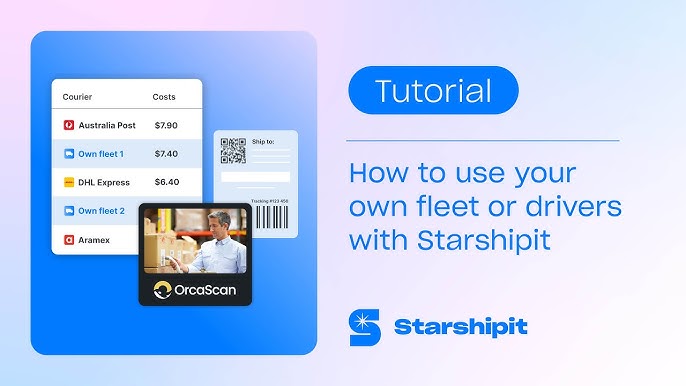
To use Starshipit, start by setting up your account and integrating your sales channels. Then, configure your shipping rules and automate your processes.
Starshipit is a powerful tool designed to simplify and streamline shipping for businesses. It helps manage orders, automate shipping labels, and track deliveries. This guide will walk you through the basics of using Starshipit effectively. We’ll explore account setup, integrations, and customization to meet your business needs.
Whether you’re new to e-commerce or looking to optimize your current processes, understanding how to use Starshipit can save you time and reduce errors. Get ready to enhance your shipping operations with Starshipit.
Getting Started
Getting started with Starshipit is straightforward and user-friendly. This guide will walk you through the initial steps. You will learn how to create an account and set up your profile. By the end, you will be ready to use Starshipit for your shipping needs.
Creating An Account
First, visit the Starshipit website. Look for the “Sign Up” button. Click on it to begin. You will need to provide basic information like your name and email address. Choose a strong password for security. Confirm your email to activate your account. You are now ready to set up your profile.
Setting Up Your Profile
Log in to your new Starshipit account. Go to the profile settings. Here, you will fill in your business information. Add your business name, address, and contact details. Ensure all information is accurate. This helps with shipping labels and customer communication. Next, configure your shipping preferences. Choose your carrier options and shipping methods. Save your changes. You are now set up and ready to ship with Starshipit.
Integrating With E-commerce Platforms
Integrating Starshipit with your e-commerce platform can streamline your shipping process. It ensures orders are fulfilled quickly and accurately. This section provides a guide on how to integrate Starshipit with popular e-commerce platforms. Follow the steps to connect your store and improve your shipping efficiency.
Supported Platforms
Starshipit supports many popular e-commerce platforms. Some of these include:
- Shopify
- WooCommerce
- BigCommerce
- Magento
- PrestaShop
- eBay
- Amazon
Check the Starshipit website for a full list of supported platforms. Ensure your platform is compatible before starting the integration process.
Step-by-step Integration Guide
Follow these steps to integrate Starshipit with your e-commerce platform:
- Log in to your Starshipit account.
- Navigate to the ‘Settings’ menu.
- Select ‘Integrations’ from the drop-down list.
- Choose your e-commerce platform from the list.
- Follow the on-screen instructions specific to your platform.
- Enter your store credentials when prompted.
- Allow permissions for Starshipit to access your store data.
- Test the integration by syncing a few orders.
Once the integration is complete, your orders will sync automatically. This helps manage shipping labels, tracking, and notifications efficiently.
Managing Orders
Starshipit helps you manage orders with ease. It streamlines your shipping process. You can import orders, track shipments, and much more. Let’s explore how to manage orders using Starshipit.
Importing Orders
To start, import orders into Starshipit. Connect your eCommerce platform. Starshipit supports many popular platforms. Then, sync your orders with a few clicks. This saves time and reduces errors.
You can also upload orders manually. Use a CSV file for this task. Ensure the file meets Starshipit’s format. Once uploaded, review the orders. Make sure all details are correct. Starshipit makes this process simple and quick.
Tracking Shipments
After importing, track your shipments. Starshipit provides real-time tracking. You can see the status of each order. This helps you stay informed. It also improves customer satisfaction.
To track a shipment, go to the ‘Tracking’ section. Enter the order number. Starshipit will show the current status. You can also set up notifications. Get alerts for any updates. This keeps you and your customers in the loop.
Customizing Shipping Rules
Customizing shipping rules in Starshipit can streamline your eCommerce operations. Tailor these rules to match your specific needs and preferences. This ensures a smooth shipping process. Let’s explore how to set up these rules and automate shipping processes.
Setting Up Shipping Rules
Setting up shipping rules in Starshipit is straightforward. First, navigate to the ‘Shipping Rules’ section in your Starshipit dashboard. You can access this through the settings menu.
Next, create a new rule by clicking on the ‘Add Rule’ button. You can specify conditions for your rule, such as the destination, weight, or value of the order. For example, you might want to set different shipping rates for domestic and international orders.
Here is a simple table to help you understand the basic fields:
| Field | Description |
|---|---|
| Rule Name | Give a unique name to your rule |
| Condition | Set specific criteria like weight, value, or destination |
| Action | Define the action to be taken, e.g., apply a specific shipping rate |
Once you’ve set the conditions and actions, save your rule. Repeat this for each rule you want to create. This will help you manage different shipping scenarios efficiently.
Automating Shipping Processes
Automating shipping processes in Starshipit can save time and reduce errors. After setting up your shipping rules, you can automate tasks such as printing shipping labels and sending tracking information to customers.
To automate these tasks, go to the ‘Automation’ section in the Starshipit dashboard. You can enable features like automatic label printing and email notifications. This ensures that your shipping process is both fast and accurate.
Here is an example of common automation tasks:
- Automatic label printing
- Sending tracking information
- Batch processing orders
By automating these tasks, you can focus on other important aspects of your business. This will enhance the overall efficiency and customer satisfaction.
Label Printing
Label printing is a vital part of shipping. Starshipit makes this process easier and more efficient. With Starshipit, you can print shipping labels in various formats. This ensures accurate and professional labels for your packages.
Printing Options
Starshipit provides multiple printing options. You can print labels in bulk or individually. The platform supports different printer types. Thermal and standard printers are both compatible. You can also choose the label size that suits your needs. This flexibility helps streamline your shipping operations.
Troubleshooting Label Issues
Encountering label issues can be frustrating. Starshipit offers solutions to common problems. First, ensure your printer settings are correct. Check the label size and format. Verify that your printer is properly connected. If labels are misaligned, adjust the print settings. Consult Starshipit’s support resources if issues persist. They offer guides and troubleshooting tips.
Credit: support.starshipit.com
Handling Returns
Handling returns can be a headache for any business. Starshipit makes this process easier. By streamlining return policies and processing, it helps maintain customer satisfaction. Let’s dive into how you can handle returns using Starshipit efficiently.
Return Policies
Having clear return policies is crucial. Starshipit allows you to set up customizable return policies. These policies should be visible on your website. Make sure they are easy to understand. This transparency builds trust with your customers. They will know exactly what to expect if they need to return an item.
Processing Returns
Once a return request comes in, Starshipit simplifies the process. You can process returns directly through the Starshipit dashboard. This saves time and reduces errors. Create return labels easily and send them to your customers. This makes the return process smooth for both parties.
Automate notifications to keep customers updated on their return status. This helps manage their expectations and keeps them informed. Happy customers often come back, even after a return.
Customer Support
Customer Support is crucial for getting the most out of Starshipit. Good support can save time, reduce stress, and ensure smooth operations. Whether you have a simple query or a complex issue, Starshipit’s support team is there to help.
Contacting Support
If you need help, contacting support is easy. You can reach out through:
- Email: support@starshipit.com
- Phone: +1 800 123 456
- Live Chat: Available on the website
The support team is friendly and knowledgeable. They aim to resolve issues quickly. Make sure to provide detailed information about your problem. This helps the team assist you better.
Using The Help Center
The Help Center is a valuable resource. It has articles, guides, and FAQs. These resources cover many topics. You can find answers without waiting for support.
To use the Help Center:
- Go to the Starshipit website.
- Click on “Help Center” at the top of the page.
- Use the search bar to find your topic.
The Help Center is available 24/7. You can learn at your own pace. New articles are added regularly. This keeps the content up-to-date.
| Support Option | Availability |
|---|---|
| 24/7 | |
| Phone | 9 AM – 5 PM (Mon-Fri) |
| Live Chat | 10 AM – 6 PM (Mon-Fri) |
Use these resources to get the most out of Starshipit. Good support makes a big difference.
Credit: support.starshipit.com

Credit: www.youtube.com
Frequently Asked Questions
What Is Starshipit?
Starshipit is a shipping and fulfillment platform. It helps businesses automate and streamline their delivery processes.
How Do I Set Up Starshipit?
To set up Starshipit, sign up on their website. Then, connect your e-commerce platform and configure your shipping settings.
Can Starshipit Integrate With My Store?
Yes, Starshipit integrates with many e-commerce platforms. These include Shopify, WooCommerce, and Magento.
How Does Starshipit Improve Shipping?
Starshipit automates shipping tasks, reduces errors, and saves time. It also offers real-time tracking and notifications.
Conclusion
Starshipit simplifies your shipping process and boosts efficiency. Its user-friendly interface makes it easy to navigate. You can save time and reduce errors. Integration with popular e-commerce platforms ensures smooth operations. By using Starshipit, you enhance your customer’s experience. Start optimizing your shipping today.
You’ll find it a valuable tool for your business. Happy shipping!
