

Rtila promises to simplify and enhance web automation.
RTILA – RPA & Web Automation is a powerful tool designed for web professionals and agencies. It turns repetitive tasks into standalone automation software, saving valuable time. With features like web browser automation, real-time data monitoring, and a point-and-click interface, it offers a robust solution for complex automation needs. Users can extract data, bypass anti-scraping systems, and even compile automation into standalone bots. This comprehensive tool supports various integrations and provides over 300 resources for learning. Whether you aim to automate lead generation or manage data, RTILA offers a practical, efficient solution. Explore more about RTILA here.
Introduction To Rtila: Rpa & Web Automation Tool
RTILA is a powerful tool designed to streamline repetitive tasks and automate complex processes. It helps web professionals and agencies save time and effort by converting these tasks into standalone automation software. This makes it a valuable asset for anyone looking to optimize their workflow and increase efficiency.
Overview Of Rtila
RTILA stands for Robotic Process Automation and Web Automation. It is a versatile software that provides a range of features to automate web tasks. Some of its main features include:
- Web browser automation
- Real-time data monitoring
- Point-and-click interface
- Extract multiple pages at once
- Export in CSV, JSON, and HTML
- Visualized web data selection
- Bypass anti-scraping systems
- GDPR-compliant
- AI integrations
- White label options
- New automation templates and recipes are added frequently
- Custom commands development using JavaScript and NodeJs
- Standalone executable compiler feature
- Monthly software updates and new features
These features make RTILA a robust tool for automating a wide range of web tasks, from simple data extraction to complex workflows.
Purpose And Target Audience
The primary purpose of RTILA is to turn repetitive tasks into standalone automation software. This allows teams and clients to focus on more critical tasks. The target audience for RTILA includes:
- Web professionals
- Agencies
- Businesses looking to automate lead generation, outreach, and order fulfillment
- Anyone interested in compiling automations into standalone bots
RTILA also supports integration with popular platforms such as Google Sheets, OpenAI, WordPress, and Zapier, making it a flexible tool for various needs.
In addition, RTILA offers a strong program for monetizing automation assets. With over 300 free resources for learning and starting automations, users can quickly get up to speed and start benefiting from this powerful tool.
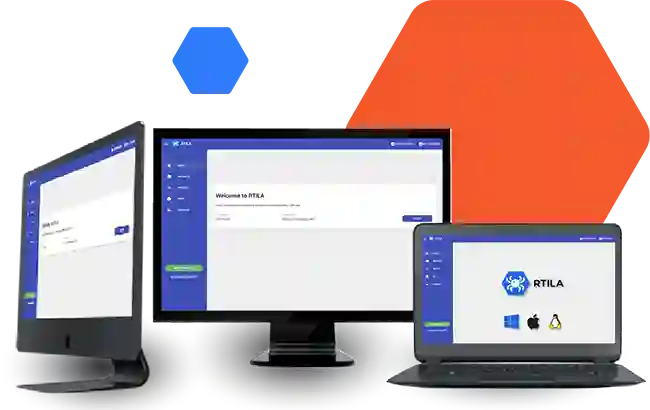
Credit: rtila.com
Key Features Of Rtila
Rtila – RPA & Web Automation is packed with features that make web automation a breeze. This software helps users automate repetitive tasks and turn them into standalone automation software. Below are the key features that make Rtila stand out.
Automated data extraction is one of Rtila’s primary features. Users can extract data from multiple web pages at once. The extracted data can be exported in various formats, including CSV, JSON, and HTML. The tool also bypasses anti-scraping systems, ensuring seamless data collection. Additionally, it includes real-time data monitoring and visualized web data selection.
Rtila provides customizable workflows to meet different automation needs. Users can create custom commands using JavaScript and NodeJs. This flexibility allows for granular and resilient automation building. The software also offers new automation templates and recipes frequently to keep workflows updated.
Rtila offers cross-platform compatibility, making it accessible on various platforms. It supports integration with platforms like Google Sheets, OpenAI, WordPress, and Zapier. This ensures that users can connect their automation workflows with other applications seamlessly.
The software features a user-friendly interface with a point-and-click design. This makes it easy for users to set up and manage their automation tasks without needing extensive technical knowledge. The interface is designed to simplify the automation process, making it accessible for all users.
Rtila supports extensive integration capabilities. It allows users to compile their automations into standalone bots for personal or commercial use. The software also includes white label options, enabling users to brand their automation tools. Additionally, the community-driven development model allows users to propose new functionalities, ensuring continuous improvement and updates.
For more details on Rtila – RPA & Web Automation, you can visit their official product page.
Automated Data Extraction
RTILA – RPA & Web Automation offers powerful tools for automated data extraction. This feature is designed to save time and effort by extracting data from multiple web pages efficiently. Let’s explore how it works, the benefits for data-intensive tasks, and real-world use cases.
How It Works
RTILA’s automated data extraction leverages a point-and-click interface. Users can select web data visually, making it easy for anyone to use. The software can extract data from multiple pages simultaneously, exporting the results in formats like CSV, JSON, and HTML. It also includes advanced features to bypass anti-scraping systems and ensure compliance with GDPR.
| Feature | Description |
|---|---|
| Web browser automation | Automates tasks within the web browser. |
| Visualized web data selection | Select data visually for extraction. |
| Export formats | CSV, JSON, HTML |
| Anti-scraping bypass | Overcome website scraping restrictions. |
| GDPR-compliant | Ensures data extraction follows privacy laws. |
Benefits For Data-intensive Tasks
Automated data extraction with RTILA offers several key benefits for data-intensive tasks:
- Efficiency: Extract data faster and more accurately.
- Scalability: Handle large-scale data extraction effortlessly.
- Accuracy: Reduce human error in data collection.
- Integration: Supports platforms like Google Sheets, OpenAI, WordPress, and Zapier.
Real-world Use Cases
RTILA’s automated data extraction is useful in various real-world scenarios:
- Lead Generation: Automate the collection of contact information from websites.
- Market Research: Gather data from competitors’ sites for analysis.
- Order Fulfillment: Extract order details from e-commerce platforms.
- Content Aggregation: Compile news or articles from multiple sources.
- Data Monitoring: Track changes on web pages in real-time.
RTILA provides a comprehensive solution for automated data extraction, enhancing productivity and enabling users to focus on more strategic tasks.
Customizable Workflows
RTILA – RPA & Web Automation offers highly customizable workflows. This flexibility allows users to tailor the automation processes to their specific needs. By leveraging customizable workflows, businesses can optimize their operations and save valuable time.
Creating Custom Automations
Creating custom automations with RTILA is straightforward. The software features a point-and-click interface that simplifies the process. Users can build detailed automation tasks without extensive coding knowledge. Additionally, RTILA supports the development of custom commands using JavaScript and NodeJs. This feature allows for even more personalized automation.
Here is a quick overview of the process:
- Identify the task you want to automate.
- Use the point-and-click interface to set up the automation steps.
- Incorporate custom commands if needed.
- Test the automation to ensure it runs smoothly.
- Deploy the automation for regular use.
Streamlining Business Processes
RTILA helps streamline business processes by automating repetitive tasks. This functionality is crucial for lead generation, outreach, and order fulfillment. With RTILA, businesses can manage tasks that would otherwise require significant time and effort.
The automation software can handle long-running processes and collect extensive data sets. This capability is beneficial for businesses that need to perform comprehensive data analysis. By automating these processes, teams can focus on more strategic initiatives.
Examples Of Workflow Automation
There are numerous examples of how RTILA can automate workflows:
| Task | Automation |
|---|---|
| Data Extraction | Extract data from multiple web pages and export in CSV, JSON, or HTML formats. |
| Lead Generation | Automate the process of finding and collecting lead information from various online sources. |
| Order Fulfillment | Set up automated order processing and tracking systems. |
| Monitoring | Implement real-time data monitoring to stay updated on critical metrics. |
These examples illustrate the versatility of RTILA in handling different automation needs. Businesses can leverage these capabilities to enhance their efficiency and productivity.
Cross-platform Compatibility
One of the most remarkable aspects of RTILA – RPA & Web Automation is its cross-platform compatibility. This feature ensures users can seamlessly operate the software across different platforms and devices. Let’s dive into how this flexibility enhances user experience and productivity.
Supported Platforms
RTILA supports a wide range of platforms, making it versatile for various environments. Whether you are using Windows, macOS, or Linux, you can leverage RTILA’s powerful automation capabilities. The software ensures that you can run your automations without compatibility issues, regardless of your operating system.
| Platform | Compatibility |
|---|---|
| Windows | Fully Supported |
| macOS | Fully Supported |
| Linux | Fully Supported |
Ease Of Use Across Devices
RTILA’s point-and-click interface ensures ease of use across different devices. Whether you are on a desktop, laptop, or tablet, the interface remains intuitive and easy to navigate. This consistency helps users to quickly create and manage automations without a steep learning curve.
The software also features a visualized web data selection tool. This tool simplifies the process of selecting and extracting data from web pages, regardless of the device used.
Enhancing Flexibility
RTILA enhances flexibility by allowing users to compile automations into standalone executable files. These files can run on any machine, providing the freedom to deploy and share automations effortlessly. This feature is particularly beneficial for web professionals and agencies who need to distribute automation tasks across different teams or clients.
Furthermore, RTILA supports integration with various platforms like Google Sheets, OpenAI, WordPress, and Zapier. These integrations enable users to extend the functionality and reach of their automations, adding another layer of flexibility.
The combination of cross-platform compatibility, ease of use, and flexible deployment options makes RTILA an invaluable tool for anyone looking to streamline their web automation tasks.
User-friendly Interface
The user-friendly interface of RTILA – RPA & Web Automation makes it a standout in the automation software market. Its design focuses on simplicity and ease of use, ensuring that users can quickly get accustomed to its features and functionalities.
Navigating The Dashboard
RTILA’s dashboard is intuitively designed, enabling users to navigate effortlessly through various sections. The main menu is clearly labeled, allowing quick access to essential features such as:
- Project management
- Automation setup
- Data extraction tools
The use of icons and visual aids further enhances the user experience, making it easy to identify and access different functions. This design ensures that even those with limited technical knowledge can use the software effectively.
Learning Curve For New Users
For new users, RTILA offers a gentle learning curve. The software includes over 300 free resources to help users get started with automation. These resources include:
- Tutorials
- Guides
- Community forums
Additionally, the point-and-click interface simplifies complex tasks, allowing users to create automations without extensive coding knowledge. This approach reduces the time required to master the software and enhances productivity from the start.
User Experience Enhancements
RTILA continuously updates its software to include new features and enhancements that improve the user experience. Some notable enhancements include:
| Enhancement | Description |
|---|---|
| Real-time data monitoring | Allows users to track data extraction in real-time. |
| Visualized web data selection | Simplifies the selection of data on web pages. |
| AI integrations | Enhances automation capabilities with advanced AI. |
These enhancements not only streamline the automation process but also ensure the software remains relevant and valuable to users.
Integration Capabilities
RTILA – RPA & Web Automation is a powerful tool designed to automate repetitive tasks. Its integration capabilities make it an invaluable asset for web professionals and agencies. These integrations enhance functionality and streamline workflows, making your automation tasks more efficient.
Supported Integrations
RTILA supports a wide range of integrations, ensuring you can connect with various platforms effortlessly. Some of the key integrations include:
- Google Sheets: Automate data input and management with seamless integration to Google Sheets.
- OpenAI: Leverage AI capabilities for more intelligent automation processes.
- WordPress: Streamline content management and automate post scheduling.
- Zapier: Connect RTILA with thousands of other apps to create custom workflows.
Seamless Connectivity With Other Tools
RTILA ensures seamless connectivity with other tools, making it easier to integrate into your existing systems. The point-and-click interface simplifies the setup process, enabling you to:
- Quickly establish connections with supported platforms.
- Monitor data in real-time and automate data extraction.
- Bypass anti-scraping systems to ensure uninterrupted workflow.
Expanding Functionality
RTILA continuously expands its functionality by adding new automation templates and recipes. With custom command development using JavaScript and NodeJs, users can tailor the automation to their specific needs. Some additional features include:
| Feature | Description |
|---|---|
| Standalone Executable Compiler | Compile automations into standalone software for personal or commercial use. |
| GDPR-compliant | Ensures that all automated processes comply with GDPR. |
| AI Integrations | Integrate with AI platforms to enhance automation intelligence. |
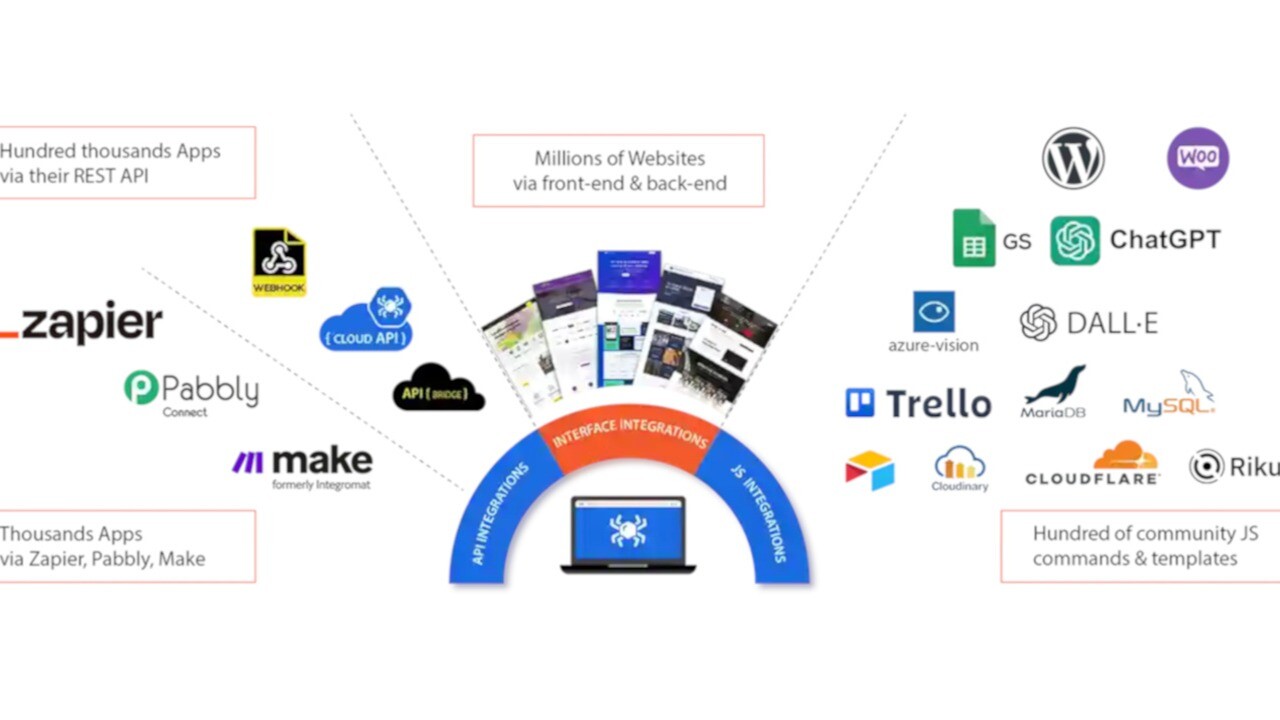
Credit: appsumo.com
Pricing And Affordability
Understanding the pricing and affordability of RTILA – RPA & Web Automation is crucial for potential users. It offers various pricing tiers to cater to different needs and budgets. Let’s dive into the details to see what you get for your money.
Pricing Tiers And Plans
| Plan | Price | Features | Machines | Original Price |
|---|---|---|---|---|
| Plan 1 | $99 (Lifetime deal) |
|
1 machine | $1,099 |
| Plan 2 | $198 (Lifetime deal) |
|
3 machines | $2,198 |
| Plan 3 | $297 (Lifetime deal) |
|
5 machines | $3,297 |
Value For Money
RTILA offers a robust set of features that make it a great value for money. Each plan provides unlimited projects, automations, and extracted records, which are essential for extensive data handling and automation tasks. The lifetime deals ensure that you only pay once and enjoy continuous updates and new features without any recurring fees.
Users benefit from frequent software updates, new templates, and recipes. The inclusion of AI integrations, custom command development, and white label options adds significant value. The real-time data monitoring and bypass anti-scraping systems are particularly beneficial for web professionals and agencies.
Comparing With Competitors
When comparing RTILA with its competitors, the pricing and features stand out. Most competitors offer subscription-based pricing, which can be costly in the long run. RTILA’s lifetime deals provide a cost-effective alternative.
Additionally, the ability to compile automations into standalone bots for commercial use is a unique selling point. This feature is not commonly found in other automation tools. The 60-day money-back guarantee also offers peace of mind, allowing users to try the software risk-free.
Overall, RTILA’s pricing structure and feature set provide excellent value compared to other web automation tools in the market.
Pros And Cons Of Rtila
RTILA is an automation software designed to simplify repetitive tasks. It helps web professionals and agencies by creating granular and resilient automations. Before deciding to use RTILA, understanding its pros and cons can help you make an informed decision.
Strengths Of Rtila
- Web Browser Automation: Allows users to automate tasks directly within a web browser.
- Real-time Data Monitoring: Enables real-time tracking of data for immediate insights.
- Point-and-click Interface: Easy to use without needing advanced technical skills.
- Extract Multiple Pages: Can scrape data from multiple pages simultaneously.
- Export Options: Exports data in various formats such as CSV, JSON, and HTML.
- Visualized Web Data Selection: Simplifies the data extraction process.
- Anti-scraping Bypass: Efficiently bypasses anti-scraping systems.
- GDPR-compliant: Ensures data privacy and compliance with regulations.
- AI Integrations: Utilizes AI for advanced automation tasks.
- White Label Options: Provides customization options for branding.
- Custom Commands: Supports JavaScript and NodeJs for bespoke automations.
- Executable Compiler: Converts automations into standalone software.
- Monthly Updates: Regular updates and new features.
Areas For Improvement
- Learning Curve: Some users may find it challenging to master initially.
- Limited Support: Customer support may not always be prompt.
- Resource Intensive: May require significant system resources for complex tasks.
- Occasional Bugs: Some users report encountering bugs during usage.
User Feedback And Reviews
Users have shared varied experiences with RTILA. Here are some common points of feedback:
| Aspect | Feedback |
|---|---|
| Performance | Many users praise the robust performance for automating tasks. |
| Ease of Use | Some users appreciate the intuitive interface, while others find it complex. |
| Support | Mixed reviews on customer support responsiveness and helpfulness. |
| Value for Money | Most users find the lifetime deal to be cost-effective and valuable. |
Ideal Users And Scenarios
RTILA – RPA & Web Automation is a versatile software that automates repetitive tasks. It caters to specific user groups and scenarios, making it an essential tool for various professionals. Let’s explore who benefits most from RTILA and how they can use it effectively.
Businesses That Benefit Most
RTILA is designed for web professionals and agencies. Businesses that deal with web data extraction, lead generation, and order fulfillment will find it invaluable.
- Digital Marketing Agencies: Automate lead generation, outreach, and reporting.
- E-commerce Stores: Streamline order fulfillment and customer data management.
- Market Research Firms: Collect and analyze extensive data sets efficiently.
Specific Use Cases
RTILA’s features support a variety of specific use cases. Here are some examples:
- Data Monitoring: Use real-time data monitoring to keep track of market trends.
- Web Scraping: Extract data from multiple web pages at once and export it in CSV, JSON, or HTML formats.
- Custom Automation: Develop custom commands using JavaScript and NodeJs for complex tasks.
Bypassing anti-scraping systems ensures smooth data collection without interruption. Additionally, the software’s GDPR compliance guarantees data privacy.
Recommendations For Implementation
Implementing RTILA can be straightforward with these recommendations:
| Step | Recommendation |
|---|---|
| 1 | Identify repetitive tasks that need automation. |
| 2 | Use the point-and-click interface to set up automation scripts. |
| 3 | Test the automation on a small scale before full deployment. |
| 4 | Leverage the community-driven development for proposing new functionalities. |
| 5 | Utilize the white label options to create branded automation tools. |
Monthly software updates and new features ensure that RTILA remains up-to-date and effective. Users can also take advantage of over 300 free resources to learn and start their automations.
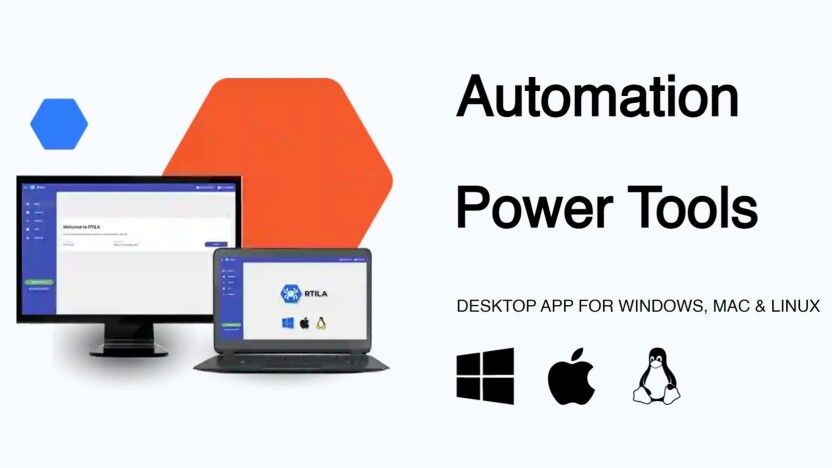
Credit: appsumo.com
Frequently Asked Questions
What Is Rtila Used For?
Rtila is used for RPA and web automation. It helps automate repetitive tasks on websites, saving time and effort.
How Does Rtila Improve Efficiency?
Rtila improves efficiency by automating web tasks. It reduces manual work, minimizes errors, and speeds up processes.
Is Rtila Suitable For Non-technical Users?
Yes, Rtila is suitable for non-technical users. Its user-friendly interface allows easy setup and automation without coding knowledge.
Can Rtila Handle Multiple Web Tasks?
Yes, Rtila can handle multiple web tasks. It supports various automation scenarios, including data extraction, form filling, and more.
Conclusion
RTILA – RPA & Web Automation offers robust tools for web automation. Its features include browser automation, data monitoring, and AI integration. Users can benefit from streamlined processes and data extraction. This software suits web professionals seeking efficiency. For those interested in simplifying tasks and boosting productivity, RTILA is a strong choice. Explore the full potential of RTILA by visiting the affiliate link today. Enjoy lifetime access and start automating like a pro!
