


Credit: financesonline.com
Introduction To Document Creation Software
Document creation software has become a vital tool in the workplace. These tools streamline the creation of documents, making it easier to generate professional and consistent outputs. With numerous options available, choosing the best software can be challenging. This section will introduce you to document creation software and its importance in the modern workplace.
What Is Document Creation Software?
Document creation software refers to applications designed to create, edit, and manage digital documents. They support various formats like Word and PDF. These tools often include features such as template creation, dynamic fields, and integration capabilities. One example is Documentero, a cloud-based service that automates document generation using custom templates and multiple input methods.

Importance Of Document Creation Software In The Modern Workplace
Document creation software is crucial in today’s workplace for several reasons:
- Automation: Saves time and reduces errors by eliminating manual document creation.
- Customization: Allows businesses to maintain branded templates without switching editors.
- Integration: Seamlessly integrates with existing workflows and systems.
- Scalability: Handles multiple document generations and templates efficiently.
- Versatility: Suitable for consultants, developers, and small businesses.
Documentero integrates with over 5000 apps via platforms like Zapier and offers bulk document generation from spreadsheets. It also supports white-label solutions and dynamic fields, making it a versatile choice for various industries.
| Plan | Price | Features |
|---|---|---|
| Plan 1 | $59 (one-time payment) | 300 document generations/month, 10 templates, unlimited pages & fields, shareable forms + emails, bulk generation, API/JSON, cloud API service, integrations |
| Plan 2 | $118 (one-time payment) | 1,000 document generations/month, 20 templates, unlimited pages & fields, shareable forms + emails, bulk generation, API/JSON, cloud API service, integrations |
| Plan 3 | $177 (one-time payment) | 2,500 document generations/month, 50 templates, unlimited pages & fields, shareable forms + emails, bulk generation, API/JSON, cloud API service, integrations |
Documentero also offers a 60-day money-back guarantee, allowing users to try the service risk-free for two months. This makes it an attractive option for businesses looking to enhance their document creation processes.

Credit: www.youtube.com
Essential Features to Consider in Document Creation Software
Below is a table summarizing the features of Documentero:
| Feature | Description |
|---|---|
| Template Creation | Create templates online or upload from .docx files |
| Output Formats | Supports Word (.docx) and PDF |
| Integration | Integrates with 5000+ apps via Zapier, Make, Integrately, Pabbly, Bubble.io, Webflow |
| Dynamic Fields | Supports dynamic fields, formulas, conditional sections, images, and HTML |
| Bulk Generation | Generate multiple documents from spreadsheet data |
| Web Forms | Embed document generation forms on websites |
| OpenAI ChatGPT Integration | Prepare document data using OpenAI prompts (API Key Required) |
| White Label | Offers white-label solutions |
| Cloud API Service | Allows document generation using API/JSON |
Each of these features ensures that Documentero meets the needs of various users, from small businesses to consultants and developers. Consider these key features when selecting the best document creation software for your needs.
Top 5 Document Creation Software: An Overview
Choosing the best document creation software can be a daunting task. The right tool can streamline workflows, enhance productivity, and ensure consistency across documents. Here, we provide an overview of the top 5 document creation software programs available today.
Criteria For Selection
We selected these tools based on several key criteria:
- Ease of Use: How intuitive and user-friendly the software is.
- Features: The range and depth of functionalities provided.
- Integration: Ability to integrate with other applications and tools.
- Scalability: How well the software handles varying document volumes.
- Cost: Pricing and value for money.
Brief Overview Of Each Software
Below is a brief overview of each software, highlighting its main features and benefits.
| Software | Main Features | Benefits |
|---|---|---|
| Documentero |
|
|
| Software 2 |
|
|
| Software 3 |
|
|
| Software 4 |
|
|
| Software 5 |
|
|
Each of these tools offers unique features and benefits. Your choice depends on your specific needs and preferences.
Software 1: Detailed Review
Documentero is a cloud-based service designed to automate document creation. It generates Word and PDF documents from custom templates using various methods, including APIs, shareable forms, spreadsheets, and ChatGPT. Below is a detailed review of Documentero, covering its unique features, pricing, pros and cons, and ideal users.
Unique Features And Benefits
Documentero offers a wide range of features that cater to different document generation needs:
- Template Creation: Create templates online or upload from .docx files.
- Output Formats: Supports Word (.docx) and PDF.
- Integration: Integrates with 5000+ apps via Zapier, Make, Integrately, Pabbly, Bubble.io, and Webflow.
- Dynamic Fields: Supports dynamic fields, formulas, conditional sections, images, and HTML.
- Bulk Generation: Generate multiple documents from spreadsheet data.
- Web Forms: Embed document generation forms on websites.
- OpenAI ChatGPT Integration: Prepare document data using OpenAI prompts (API Key Required).
- White Label: Offers white-label solutions.
- Cloud API Service: Allows document generation using API/JSON.
These features make Documentero a versatile tool for automating document creation and maintaining branded document templates.
Pricing And Affordability
| Plan | Price | Features |
|---|---|---|
| Plan 1 | $59 (one-time payment) | 300 document generations/month, 10 document templates, unlimited pages & fields, shareable forms + emails, bulk generation, API/JSON, cloud API service, and integrations. |
| Plan 2 | $118 (one-time payment) | 1,000 document generations/month, 20 document templates, unlimited pages & fields, shareable forms + emails, bulk generation, API/JSON, cloud API service, and integrations. |
| Plan 3 | $177 (one-time payment) | 2,500 document generations/month, 50 document templates, unlimited pages & fields, shareable forms + emails, bulk generation, API/JSON, cloud API service, and integrations. |
All plans include a 60-day money-back guarantee, allowing users to try the service for two months to ensure it meets their needs.
Pros and Cons
Understanding the advantages and limitations of Documentero can help you make an informed decision:
Pros:
✔️ Easy to set up—no coding required.
✔️ Seamlessly integrates with existing workflows and systems.
✔️ Supports multiple document templates and bulk generation.
✔️ Offers white-label solutions for branding.
Cons:
❌ Requires an API key for OpenAI ChatGPT integration.
❌ May have a learning curve for first-time users.
Ideal Users and Use Cases
Documentero is a powerful tool for various professionals and business needs:
- Consultants: Automate client reports and document generation.
- Developers: Integrate document automation into applications.
- Small Businesses: Manage branded templates and streamline repetitive tasks.
Its flexibility makes it an essential tool for anyone looking to automate document workflows efficiently.
Documentero: In-Depth Review
Overview
Documentero is a cloud-based document automation platform designed to simplify and optimize document generation. Below, we explore its standout features, pricing, pros and cons, and best use cases.
Key Features and Benefits
🔹 Template Creation: Easily build templates online or upload .docx files.
🔹 Multiple Output Formats: Supports Word (.docx) and PDF.
🔹 Seamless Integration: Connects with 5,000+ apps via Zapier, Make, Integrately, Pabbly, Bubble.io, and Webflow.
🔹 Dynamic Fields & Customization: Supports formulas, conditional sections, images, and HTML for flexible document generation.
🔹 Bulk Document Generation: Generate multiple documents at once using spreadsheet data.
🔹 Web Forms: Embed document generation forms directly on websites.
🔹 AI-Powered Automation: Use OpenAI ChatGPT prompts to generate content (API key required).
🔹 White-Label Solutions: Maintain a branded experience with customizable templates.
🔹 Cloud API Service: Generate documents programmatically using API/JSON.
Why Choose Documentero?
With its no-code setup, extensive integrations, and high customization, Documentero automates manual tasks, enhances productivity, and seamlessly fits into existing workflows. Whether you’re a consultant, developer, or small business, it provides a scalable and efficient document automation solution.
Pricing And Affordability
Documentero offers three pricing plans, each providing a lifetime deal with a one-time payment:
| Plan | Price | Features |
|---|---|---|
| Plan 1 | $59 (originally $348) |
|
| Plan 2 | $118 (originally $828) |
|
| Plan 3 | $177 (originally $1,044) |
|
All plans come with a 60-day money-back guarantee, allowing users to try the service for two months risk-free.
Pros And Cons
Documentero has several advantages and a few limitations:
- Pros:
- Eliminates manual document creation, saving time.
- Easy setup with no coding required.
- Highly customizable templates.
- Seamless integration with 5000+ apps.
- Handles multiple document generations and templates.
- Cons:
- Requires an API key for OpenAI ChatGPT integration.
- Limited to Word and PDF formats.
Ideal Users And Scenarios
Documentero is ideal for:
- Consultants who need to generate professional documents quickly.
- Developers are integrating document generation into applications.
- Small businesses require branded document templates.
It is particularly useful in scenarios where document automation can save time and reduce errors, such as contract generation, report creation, and client communication.
Software 3: Detailed Review
Documentero is an advanced cloud-based service designed to automate document creation. It allows users to generate Word and PDF documents from custom templates using APIs, forms, spreadsheets, and ChatGPT. Let’s dive into the detailed review of this software.
Unique Features And Benefits
Documentero offers a range of unique features that make it stand out:
- Template Creation: Users can create templates online or upload them from .docx files.
- Output Formats: Supports both Word (.docx) and PDF formats.
- Integration: Integrates with over 5000 apps via Zapier, Make, Integrately, Pabbly, Bubble.io, and Webflow.
- Dynamic Fields: Supports dynamic fields, formulas, conditional sections, images, and HTML.
- Bulk Generation: Generate multiple documents from spreadsheet data.
- Web Forms: Embed document generation forms on websites.
- OpenAI ChatGPT Integration: Prepare document data using OpenAI prompts (API Key Required).
- White Label: Offers white label solutions for branding.
- Cloud API Service: Allows document generation using API/JSON.
These features provide significant benefits:
- Automation: Eliminates manual document creation, saving time and reducing errors.
- Easy Setup: No coding is required for setup and use.
- Customization: Maintain branded document templates without switching editors.
- Versatility: Suitable for consultants, developers, and small businesses.
- Integration: Seamlessly integrates with existing workflows and systems.
- Scalability: Capable of handling multiple document generations and templates.
Pricing And Affordability
Documentero offers three pricing plans:
| Plan | Price | Features |
|---|---|---|
| Plan 1 | $59 (one-time payment, lifetime deal) | 300 document generations/month, 10 document templates, unlimited pages & fields, shareable forms + emails, bulk generation, API/JSON, cloud API service, integrations. |
| Plan 2 | $118 (one-time payment, lifetime deal) | 1,000 document generations/month, 20 document templates, unlimited pages & fields, shareable forms + emails, bulk generation, API/JSON, cloud API service, integrations. |
| Plan 3 | $177 (one-time payment, lifetime deal) | 2,500 document generations/month, 50 document templates, unlimited pages & fields, shareable forms + emails, bulk generation, API/JSON, cloud API service, integrations. |
All plans come with a 60-day money-back guarantee, allowing users to try the service risk-free.
Pros And Cons
Here are the pros and cons of using Documentero:
- Pros:
- Automates document creation, saving time and reducing errors.
- Easy to set up with no coding required.
- Supports multiple output formats (Word and PDF).
- Integrates with a wide range of apps and services.
- Offers white-label solutions for branding.
- Provides a scalable solution for bulk document generation.
- Cons:
- Requires API key for OpenAI ChatGPT integration.
- It may have a learning curve for new users.
Ideal Users And Scenarios
Documentero is ideal for a variety of users and scenarios:
- Consultants: Easily generate client reports and proposals.
- Developers: Integrate document generation into applications via API.
- Small Businesses: Automate invoicing, contracts, and other business documents.
- Educational Institutions: Generate certificates, reports, and other academic documents.
- Marketing Teams: Create branded templates for marketing materials.
Whether you need to generate documents in bulk or create dynamic, customized templates, Documentero offers a versatile and efficient solution.
Software 4: Detailed Review
We will delve into the comprehensive review of Documentero. This document automation and generation software offers a range of features and benefits that make it a standout choice for businesses and individuals alike. Let’s explore its unique features, pricing, pros and cons, and ideal users and scenarios in detail.
Unique Features And Benefits
Documentero is a cloud-based service designed to automate the creation of documents. Here are some of its unique features and benefits:
- Template Creation: Create templates online or upload from .docx files.
- Output Formats: Supports Word (.docx) and PDF.
- Integration: Integrates with 5000+ apps via Zapier, Make, Integrately, Pabbly, Bubble.io, Webflow.
- Dynamic Fields: Supports dynamic fields, formulas, conditional sections, images, and HTML.
- Bulk Generation: Generate multiple documents from spreadsheet data.
- Web Forms: Embed document generation forms on websites.
- OpenAI ChatGPT Integration: Prepare document data using OpenAI prompts (API Key Required).
- White Label: Offers white-label solutions.
- Cloud API Service: Allows document generation using API/JSON.
These features eliminate manual document creation, saving time and reducing errors. The setup is easy with no coding required, and the software integrates seamlessly with existing workflows and systems.
Pricing And Affordability
Documentero offers three pricing plans, each with a one-time payment and a lifetime deal. Below is a breakdown of the pricing:
| Plan | Price | Features |
|---|---|---|
| Plan 1 | $59 |
|
| Plan 2 | $118 |
|
| Plan 3 | $177 |
|
Each plan offers a variety of features to suit different needs, and all plans come with a 60-day money-back guarantee.
Pros And Cons
Here are the pros and cons of using Documentero:
- Pros:
- Easy setup with no coding required.
- Integration with 5000+ apps.
- Supports dynamic fields and conditional sections.
- Bulk document generation capability.
- Offers white-label solutions.
- Seamlessly integrates with existing workflows.
- 60-day money-back guarantee.
- Cons:
- Requires an API key for OpenAI ChatGPT integration.
- Lifetime deal pricing might be high for some users.
Ideal Users And Scenarios
Documentero is versatile and suits a variety of users and scenarios:
- Consultants: Automate the creation of client reports and proposals.
- Developers: Integrate document generation into applications using APIs.
- Small Businesses: Generate invoices, contracts, and other documents efficiently.
- Educational Institutions: Create and distribute standardized documents.
This software is perfect for anyone who needs to create documents regularly and wants to save time and reduce errors through automation.
Software 5: Detailed Review
Documentero is a powerful cloud-based document automation and generation software. It enables users to create Word and PDF documents from custom templates using APIs, forms, spreadsheets, or ChatGPT. Let’s dive into its unique features and benefits, pricing, pros and cons, and ideal users and scenarios.
Unique Features And Benefits
- Template Creation: Create templates online or upload from .docx files.
- Output Formats: Supports Word (.docx) and PDF.
- Integration: Integrates with over 5000 apps via Zapier, Make, Integrately, Pabbly, Bubble.io, and Webflow.
- Dynamic Fields: Supports dynamic fields, formulas, conditional sections, images, and HTML.
- Bulk Generation: Generate multiple documents from spreadsheet data.
- Web Forms: Embed document generation forms on websites.
- OpenAI ChatGPT Integration: Prepare document data using OpenAI prompts (API key required).
- White Label: Offers white-label solutions.
- Cloud API Service: Allows document generation using API/JSON.
These features make Documentero a versatile and efficient tool for automating document creation. It eliminates manual work, saving time and reducing errors.
Pricing And Affordability
| Plan | Price | Features |
|---|---|---|
| Plan 1 | $59 (one-time payment, lifetime deal, originally $348) | 300 document generations/month, 10 document templates, unlimited pages & fields, shareable forms + emails, bulk generation, API/JSON, cloud API service, and integrations. |
| Plan 2 | $118 (one-time payment, lifetime deal, originally $828) | 1,000 document generations/month, 20 document templates, unlimited pages & fields, shareable forms + emails, bulk generation, API/JSON, cloud API service, and integrations. |
| Plan 3 | $177 (one-time payment, lifetime deal, originally $1,044) | 2,500 document generations/month, 50 document templates, unlimited pages & fields, shareable forms + emails, bulk generation, API/JSON, cloud API service, and integrations. |
All plans come with a 60-day money-back guarantee, allowing users to try the service risk-free.
Pros And Cons
- Pros:
- Automation reduces manual work and errors.
- Easy setup with no coding required.
- Integrates with 5000+ apps for seamless workflows.
- Supports bulk document generation.
- Offers white-label solutions.
- Cons:
- Requires an API key for OpenAI ChatGPT integration.
- The limited number of document generations per month is based on the plan.
Ideal Users And Scenarios
Documentero is ideal for a wide range of users and scenarios:
- Consultants: Generate reports and proposals quickly using custom templates.
- Developers: Integrate document generation into applications using API/JSON.
- Small Businesses: Automate invoicing, contracts, and other documents to save time and reduce errors.
- Educational Institutions: Generate certificates, reports, and other documents efficiently.
- Marketing Agencies: Create branded documents and proposals with ease.
Documentero offers a scalable solution for any organization that needs to automate document creation.
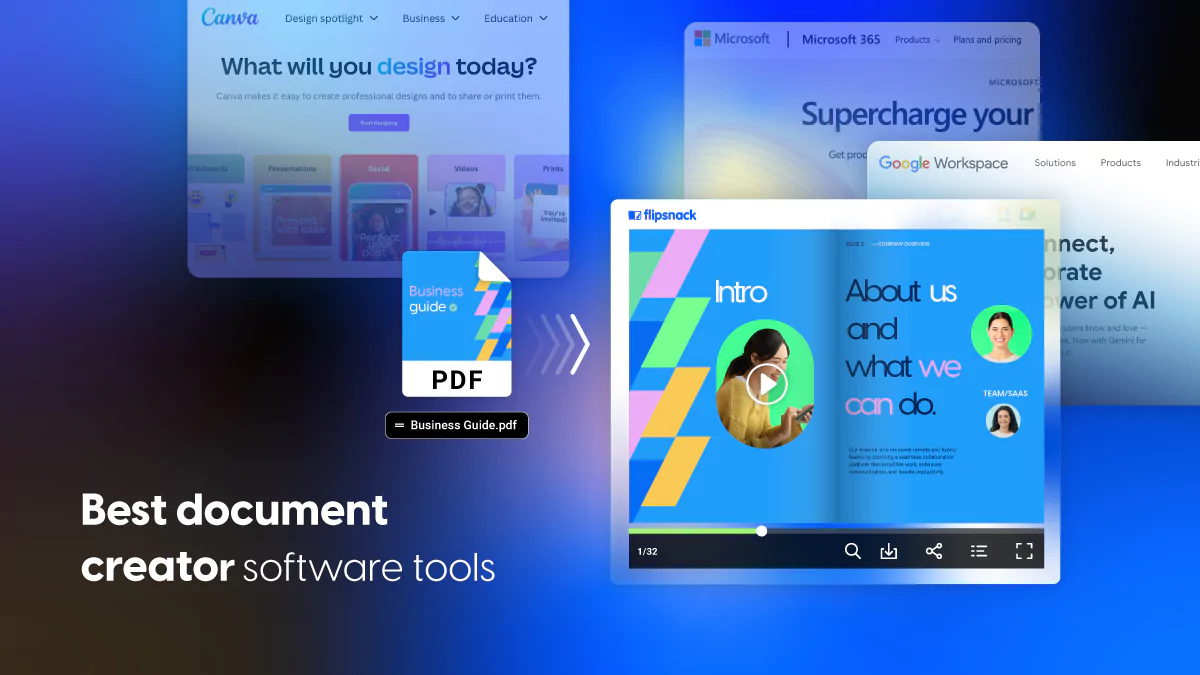
Credit: blog.flipsnack.com
Frequently Asked Questions
What Is The Best Document Creation Software?
The best document creation software depends on your needs. Options include Microsoft Word, Google Docs, and Adobe Acrobat. They offer unique features for different requirements.
How Does Google Docs Compare To Microsoft Word?
Google Docs is cloud-based and supports real-time collaboration. Microsoft Word offers advanced formatting options. Both are excellent, depending on your needs.
Is Adobe Acrobat Suitable For Document Creation?
Adobe Acrobat is excellent for creating and editing PDFs. It offers advanced features for document security and customization, making it highly versatile.
What Are The Key Features To Look For?
Key features include collaboration tools, formatting options, and cloud storage. User-friendliness and compatibility with other software are also important.
Conclusion
Choosing the best document creation software is crucial for efficiency. Documentero stands out with its automation, ease of use, and integration capabilities. It saves time, reduces errors, and offers customization without coding. With various pricing plans, it caters to different needs and budgets. Try Documentero today and experience seamless document generation. For more details, visit Documentero.
