

Virtual meetings have become essential. But keeping everyone engaged is a challenge.
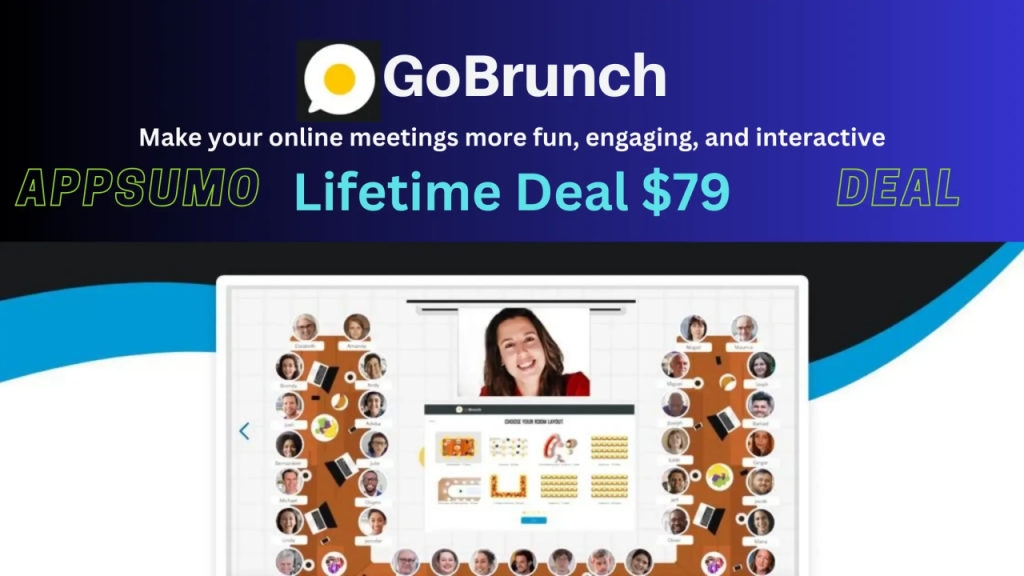
GoBrunch aims to solve this with its interactive webinar platform. GoBrunch offers a realistic, user-friendly interface for online sessions. It allows you to host multiple virtual rooms, control cameras, microphones, and screens, and even customize room layouts. With features like screen sharing, video playback, and detailed attendee reports, GoBrunch makes virtual meetings more interactive and fun. It integrates with tools like Zapier, Google Docs, and Miro, and doesn’t require attendees to install any software. Whether you’re hosting a small meeting or a large webinar, GoBrunch provides a comprehensive solution to enhance your virtual events. Ready to make your online meetings more engaging? Check out GoBrunch here.
Credit: www.youtube.com
Introduction To Gobrunch
GoBrunch is a versatile webinar platform designed to enhance virtual engagement. It provides a realistic and interactive interface for online sessions. This platform allows users to host multiple virtual rooms and sessions with comprehensive admin controls. It aims to make online meetings more fun, engaging, and interactive.
Overview Of Gobrunch

GoBrunch features a realistic and simple interface for online sessions. Users can host multiple virtual rooms and sessions. It offers comprehensive admin controls over cameras, microphones, and screens. The platform is GDPR-compliant and includes CNAME options.
It integrates with Zapier, requiring no installation for attendees. GoBrunch offers customizable room layouts and branding options. Sessions and chat history can be recorded and downloaded. Screen sharing with sound, video playback, and slide presentations are included.
Interaction features such as hand-raising, voting, and signs are available. Detailed frequency reports for attendee participation are provided. Collaboration tools with Miro, Google Docs, Sheets, and Slides are supported. OnDemand MP4 video uploads for asynchronous viewing are also available.
Purpose And Target Audience
GoBrunch increases engagement and interactivity during virtual sessions. It mimics in-person events to enhance user experience. The platform facilitates easy management of virtual events with multiple breakout rooms. It provides detailed attendee participation reports.
GoBrunch is customizable and branded for a personalized experience. No software installation is needed, ensuring ease of access for all participants. The target audience includes businesses, educators, and event organizers looking for an interactive and engaging virtual event solution.
| Feature | Benefit |
|---|---|
| Realistic Interface | Enhances user experience |
| Multiple Virtual Rooms | Facilitates event management |
| Admin Controls | Manage cameras, mics, and screens |
| GDPR-compliant | Ensures data protection |
| Zapier Integration | Automates workflows |
| No Installation | Ease of access for attendees |
| Customizable Layouts | Personalized branding |
| Recording | Document sessions and chat history |
| Screen Sharing | Enhanced presentations |
| Interaction Features | Increases engagement |
| Participation Reports | Track attendee activity |
| Collaboration Tools | Supports teamwork |
| OnDemand Videos | Asynchronous viewing |
Credit: appsumo.com
Key Features Of Gobrunch
GoBrunch is a versatile webinar platform designed to enhance virtual engagement. It offers a realistic and interactive interface for online sessions. Here are some of its key features:
Interactive Virtual Rooms
GoBrunch allows users to host multiple virtual rooms and sessions. This feature enhances engagement by mimicking in-person events. Each room can be customized and branded, providing a personalized experience. Users can also control cameras, microphones, and screens, ensuring a smooth session.
User-friendly Interface
GoBrunch boasts a realistic and simple interface for online sessions. No installation is required for attendees, making it accessible for all participants. The platform is designed to be intuitive, allowing users to navigate easily and focus on the content.
Customizable Meeting Layouts
With GoBrunch, users can customize room layouts to suit their needs. This feature includes options for branding, ensuring that each session reflects the host’s identity. The ability to record and download sessions and chat history adds to the flexibility and functionality.
Seamless Integration With Other Tools
GoBrunch integrates with various tools such as Zapier, Miro, Google Docs, Sheets, and Slides. This integration facilitates collaboration and enhances productivity. Users can easily share screens with sound, play videos, and present slides, creating a dynamic and interactive environment.
High-quality Video And Audio
GoBrunch ensures high-quality video and audio for a better user experience. The platform supports up to 10 presenter cameras, depending on the license tier. This feature is crucial for maintaining professionalism and clarity during virtual events.
| License Tier | Participants | Video Storage | Organizer Capacity | Breakout Rooms |
|---|---|---|---|---|
| Tier 1 | 200 | 40 GB | 8 | 15 |
| Tier 2 | 400 | 80 GB | 16 | 35 |
| Tier 3 | 600 | 120 GB | Unlimited | 50 |
GoBrunch offers a comprehensive solution for hosting engaging and interactive virtual events. With its robust set of features, it enhances the participant experience and facilitates easy management of virtual events.
Pricing And Affordability
GoBrunch offers versatile and engaging solutions for virtual meetings and webinars. Understanding the pricing and affordability of GoBrunch is essential. Let’s delve into the subscription plans, the difference between free and paid features, and the overall value for money.
Subscription Plans
| License Tier | Price | Features |
|---|---|---|
| License Tier 1 | One-time purchase of $79 (regular price $870) |
|
| License Tier 2 | One-time purchase of $169 (regular price $3,599) |
|
| License Tier 3 | One-time purchase of $239 (regular price $7,000) |
|
Free Vs Paid Features
GoBrunch offers a rich set of features that enhance virtual engagement. While the platform does not provide a free tier, the paid tiers come with extensive options:
- Comprehensive admin controls over cameras, microphones, and screens
- GDPR-compliant and CNAME options
- Integration with Zapier
- No installation is needed for attendees
- Customizable room layouts and branding options
- Ability to record and download sessions and chat history
- Screen sharing with sound, video playback, and slide presentations
- Interactive features like hand-raising, voting, and signs
“Zoom fatigue is real, but so is the power of connecting from anywhere in the world with a click.”
– Inspired by Simon Sinek
Value For Money
GoBrunch’s pricing structure offers substantial value for money. The one-time purchase plans are cost-effective compared to many subscription-based platforms. The features provided in each tier are extensive and cater to various needs:
- Increased engagement and interactivity in virtual sessions
- Detailed attendee participation reports
- Customizable and branded virtual spaces
- Facilitation of easy management of virtual events with multiple breakout rooms
These aspects ensure that GoBrunch is a worthwhile investment for anyone seeking to enhance their online meeting and webinar experiences.
Pros And Cons Of Gobrunch
GoBrunch is an online webinar platform designed to make virtual meetings more engaging and interactive. This section explores the pros and cons of using GoBrunch, providing a detailed look at its advantages and potential drawbacks.
Advantages Of Using Gobrunch
GoBrunch offers several benefits that enhance virtual meeting experiences:
- Realistic and simple interface: The platform mimics in-person events, providing a more engaging experience.
- Multiple virtual rooms: Users can host multiple sessions simultaneously, making it ideal for larger events.
- Comprehensive admin controls: Admins have full control over cameras, microphones, and screens, ensuring smooth management.
- GDPR-compliant: Ensures user data protection and privacy.
- Integration with Zapier: Simplifies workflow automation and enhances productivity.
- No installation required: Attendees can join without installing any software, ensuring easy access.
- Customizable room layouts: Users can personalize virtual spaces with branding options.
- Session recording: Ability to record and download sessions and chat history for future reference.
- Screen sharing: Supports sound, video playback, and slide presentations for a comprehensive meeting experience.
- Interactive features: Includes hand-raising, voting, and signs to increase participant engagement.
- Collaboration tools: Integrates with Miro, Google Docs, Sheets, and Slides for seamless teamwork.
- OnDemand video uploads: Allows asynchronous viewing of MP4 videos, catering to various participant schedules.
Potential Drawbacks And Limitations
GoBrunch has many advantages, but there are some potential drawbacks to consider:
- Limited participants in lower tiers: License Tier 1 supports up to 200 participants, which may not be sufficient for larger events.
- Storage limitations: The video storage and presentation document storage are limited, especially in the lower tiers.
- Customization constraints: Although room layouts are customizable, some users might find the options limited compared to other platforms.
- Learning curve: New users might need some time to get acquainted with all the features and controls.
GoBrunch provides a rich set of features that enhance virtual meeting experiences but it’s essential to weigh these pros and cons to determine if it fits your needs.
Ideal Users And Scenarios
GoBrunch is a versatile platform that brings a fresh approach to online meetings and webinars. It is designed to enhance engagement and create a more interactive virtual experience. Here are the ideal users and scenarios where GoBrunch truly shines.
Best Use Cases For Gobrunch
GoBrunch is perfect for a variety of scenarios:
- Webinars: Host engaging and interactive webinars with multiple breakout rooms.
- Virtual Conferences: Create a virtual conference experience with customizable room layouts and branding options.
- Team Meetings: Facilitate team meetings with comprehensive admin controls over cameras, microphones, and screens.
- Training Sessions: Conduct training sessions with features like screen sharing, video playback, and slide presentations.
- Workshops: Run interactive workshops with tools like hand-raising, voting, and signs.
- Asynchronous Learning: Upload and share OnDemand MP4 videos for participants to view at their convenience.
Who Will Benefit The Most From Gobrunch
GoBrunch is designed to benefit a wide range of users:
- Educators: Teachers and trainers can create immersive and interactive learning experiences.
- Businesses: Companies can conduct virtual meetings, webinars, and training sessions efficiently.
- Event Planners: Organizers can manage virtual conferences and events with ease.
- Community Managers: Build and maintain active online communities with engaging virtual spaces.
- Freelancers: Independent professionals can host workshops and webinars to reach a broader audience.
The platform is user-friendly and does not require installation for attendees, making it accessible for everyone.
Pricing Tiers
| License Tier | Price | Participants | Video Storage | Organizers | Breakout Rooms |
|---|---|---|---|---|---|
| Tier 1 | $79 | 200 | 40 GB | 8 | 15 |
| Tier 2 | $169 | 400 | 80 GB | 16 | 35 |
| Tier 3 | $239 | 600 | 120 GB | Unlimited | 50 |
GoBrunch offers flexible pricing plans with a one-time purchase, providing lifetime access and future updates. Each tier includes a 60-day money-back guarantee, ensuring satisfaction for all users.

Credit: www.linkedin.com

Credit: gobrunch.com
Frequently Asked Questions
What Is Gobrunch?
GoBrunch is a virtual event platform for webinars, meetings, and online classes. It offers interactive features and customizable rooms.
How Does Gobrunch Work?
GoBrunch allows users to create virtual rooms for events. Participants can join, interact, and share content seamlessly.
Is Gobrunch Free To Use?
GoBrunch offers a free plan with basic features. Premium plans with advanced options are also available.
Can I Record Sessions On Gobrunch?
Yes, GoBrunch allows you to record your sessions. You can save and share recordings easily.
Conclusion
GoBrunch stands out as a versatile webinar platform. It offers realistic and interactive virtual sessions. Multiple virtual rooms and extensive admin controls enhance the experience. Whether for business or education, GoBrunch ensures engaging and fun online meetings. Interested in boosting your virtual events? Check out GoBrunch by visiting this link. Give it a try and see how it transforms your online interactions.
