

Pausing your Shopify store can impact your business significantly. It’s important to know what changes to expect.
If you decide to pause your Shopify store, several things happen. Your store will go offline, but you can still access your admin panel. This allows you to manage your store without customers seeing it. You will pay a reduced fee while your store is paused.
This option is useful if you need a break or are planning changes. Understanding the full impact helps you make informed decisions. In this post, we will explore what happens when you pause your Shopify store. This will help you decide if pausing is the right choice for your business.
Pausing Your Shopify Store
Pausing your Shopify store can be a strategic move. It allows you to take a break without losing your entire setup. Whether it’s for a short-term adjustment or a long-term change, pausing can provide flexibility. Let’s dive into why and how you might pause your Shopify store.
Reasons To Pause
Business owners pause their stores for various reasons. Sometimes, it’s due to seasonal dips in sales. Other times, it might be for personal reasons like a vacation or health issues. Pausing helps manage costs during slow periods. It also allows you to focus on other business aspects.
Temporary Vs. Permanent Pause
A temporary pause is ideal for short breaks. It keeps your store data intact and can be resumed anytime. During a temporary pause, your store remains hidden from customers. You can still access the admin panel and manage settings.
A permanent pause is more serious. It usually means the business is closing down. All store data is deleted after a certain period. This action is not reversible. Ensure you backup important data before a permanent pause.

Credit: help.shopify.com
Effects On Store Accessibility
Pausing your Shopify store affects more than just sales. It impacts how customers and admins interact with the store. Understanding these effects helps you decide if pausing is right for you.
Customer Experience
When you pause your Shopify store, customers can’t access it. They will see a message saying the store is temporarily closed. This can frustrate regular customers.
New visitors will also be affected. They won’t be able to browse your products or make purchases. This could lead them to seek alternatives.
Ensure you clearly communicate the pause. Place a friendly message on your store’s homepage. Let customers know when you will reopen. This helps manage their expectations.
Admin Access
Admins retain full access to the store backend. You can still manage inventory, update products, and process orders.
Pausing doesn’t stop you from viewing analytics. You can continue to review sales data and customer insights. This helps you plan for the store’s reopening.
Here’s a summary of what admins can still do:
- Manage inventory
- Update product listings
- Process pending orders
- Access analytics
Pausing your store can be a useful tool. It allows you to make necessary updates without customer interruptions.
Impact On Inventory
Pausing your Shopify store affects many aspects of your business. One key area is inventory. Understanding how this pause impacts your stock can help you plan better. Let’s explore how your product listings and stock management change during this time.
Product Listings
When you pause your Shopify store, your product listings become inactive. Customers cannot see or buy your products. This means no sales, but it also means no stock movement. Your products remain in your inventory without any changes in quantity.
Inactive listings still exist in your store’s backend. You can update descriptions, prices, and images. But these updates will not appear to your customers until you unpause your store. This pause gives you time to refine your listings without affecting live sales.
Stock Management
Pausing your store does not freeze your inventory count. You must still manage your stock levels manually. This includes tracking any returns or damages. Your inventory system continues to function, and you can still perform stock takes.
During the pause, you can also plan for future stock needs. Review your bestsellers and slow-moving items. Use this time to adjust your stock levels. This helps ensure you are ready when you resume operations.
Managing your inventory well during a pause can save you from future headaches. It ensures you have the right stock available when your store is back online.
Changes To Payment Processing
Pausing your Shopify store affects many aspects of your business. One major area is payment processing. Understanding these changes can help you manage your store better during the pause.
Ongoing Subscriptions
When you pause your Shopify store, ongoing subscriptions will continue to bill. Your customers’ subscriptions will remain active. This ensures they get what they paid for without interruption.
However, new customers won’t be able to subscribe. This means no new subscription sales until you unpause your store. Make sure your customers know about the pause. Communication is key to keeping their trust.
Pending Transactions
Pending transactions are another aspect to consider. Orders placed before you paused the store need to be completed. Pending transactions will still process. You must fulfill these orders to avoid any issues.
It’s important to monitor your payment gateways. Ensure there are no disruptions in processing these transactions. This will help maintain customer satisfaction.
Subscription Fees During Pause
Pausing your Shopify store can be a strategic decision. But what happens to your subscription fees during this period? Understanding the billing changes and potential cost savings can help you make an informed choice.
Billing Adjustments
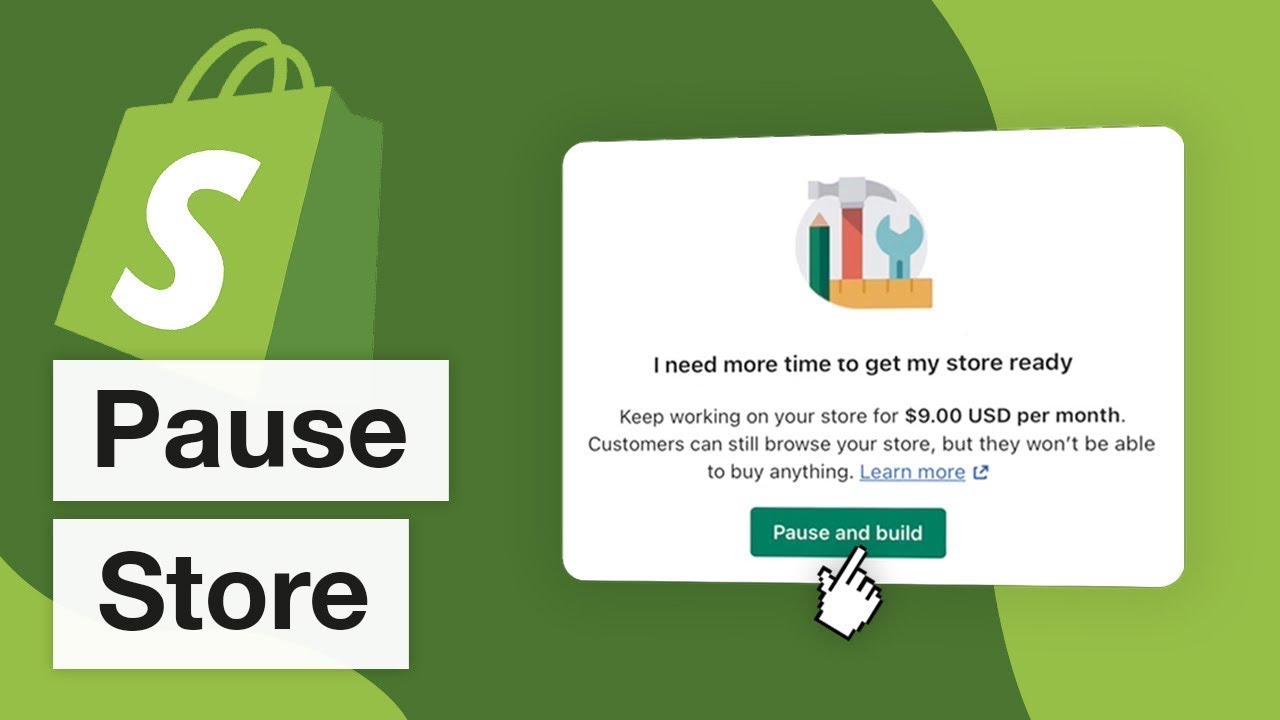
When you pause your Shopify store, your subscription plan changes. Instead of your regular fee, Shopify charges a reduced fee. This fee covers the cost of maintaining your store’s data. You still have access to your admin and reports. But checkout and other customer-facing features are disabled.
During the pause, you won’t lose your store’s information. Your products, orders, and customer data remain intact. This ensures a smooth transition when you decide to reactivate your store. The reduced fee helps you keep your store in a ready state without the full cost.
Cost Savings
Pausing your store can lead to significant savings. The reduced fee during the pause is much lower than the regular subscription. This can be especially helpful during slow seasons or when you’re making changes to your store.
These savings can free up resources for other needs. You might invest in marketing, inventory, or new product development. Keeping your store on pause allows you to manage your budget more effectively while maintaining your online presence.

Credit: stewartgauld.com
Marketing And Seo Implications
Pausing your Shopify store can impact your marketing and SEO efforts. It’s crucial to understand the effects on your search rankings and ad campaigns. Let’s dive into these aspects in detail.
Search Rankings
Your store’s visibility on search engines can drop. Search engines may view your paused store as less relevant. This can lead to lower rankings. Lower rankings mean less organic traffic. Losing traffic affects your sales and brand visibility. Search engines prefer active and updated sites. A paused store sends a signal of inactivity. Consider this before pausing your store.
Ad Campaigns
Active ad campaigns need a live store. Pausing your store means stopping your ads. This halts your paid traffic. Potential customers can’t visit a paused store. You might lose money on ads if your store is not live. Plan your campaigns around your store’s status. Inform your marketing team about any pauses. This helps in adjusting your ad strategy. Pausing affects your overall marketing performance.
Customer Communication
Effective customer communication is key when you pause your Shopify store. Clear and timely updates help maintain trust. They also reduce confusion and keep your business reputation intact.
Informing Customers
Notify your customers about the pause. Use multiple channels like email, social media, and your website. Simple announcements work best. Be clear about the reasons and the duration of the pause. Let them know what to expect next. This transparency builds trust.
Consider adding a banner on your website. Make it visible on every page. This way, no customer misses the update. A clear message keeps everyone informed and reduces potential frustration.
Handling Inquiries
Even with clear announcements, questions will arise. Prepare to handle inquiries efficiently. Create a dedicated FAQ section. Answer common questions about the pause. This can save time for both you and your customers.
Respond to emails and messages promptly. Customers appreciate quick replies. It shows you value their concerns. Use templates for common inquiries. This ensures consistency and speeds up responses.
Consider using a chatbot. It can handle simple questions around the clock. This ensures customers get answers even when you’re offline.
Resuming Your Store
Resuming your Shopify store can seem daunting after a pause. But, the process is straightforward. You can get your store back up and running quickly. This section will guide you through the steps to reopen and restore operations. Follow these steps to ensure a smooth transition.
Steps To Reopen
First, log in to your Shopify account. Navigate to the ‘Settings’ section. Find the ‘Plan and permissions’ tab. Click on ‘Resume subscription.’ This action will reactivate your billing cycle. Make sure to review your plan details. Confirm the reactivation of your store. You might need to update payment information. Ensure all details are correct. Your store will now be active again.
Restoring Operations
Check your inventory levels. Update any out-of-stock items. Review product descriptions and images. Ensure everything is accurate. Check for any changes in supplier availability. Update your pricing if needed. Next, review your apps. Ensure they are up-to-date. Some might need reinstallation. Test them to confirm they work correctly.
Examine your store’s design. Make any necessary updates. Ensure all links work. Review your SEO settings. Update your keywords if needed. Check your shipping settings. Make sure they align with current rates. Test your checkout process. Ensure it is smooth and error-free. Notify your customers about your reopening. Use social media and email marketing. Offer a small promotion to attract them back.
Finally, track your store’s performance. Use Shopify’s analytics tools. Monitor sales and traffic. Make adjustments as needed. Keep your store fresh and engaging. Your store is now ready to welcome customers again.
Credit: www.youtube.com
Frequently Asked Questions
What Does Pausing A Shopify Store Mean?
Pausing a Shopify store means temporarily suspending your storefront. It allows you to take a break without closing your store completely.
What Happens To My Store’s Data?
When you pause your Shopify store, all your data remains intact. Your products, customer information, and order history are preserved.
Can Customers Still View My Store?
No, customers cannot view your store when it is paused. Your storefront is hidden, but your admin access remains.
Are There Any Charges During The Pause?
Yes, Shopify charges a reduced fee when your store is paused. This helps you maintain your store data.
Conclusion
Pausing your Shopify store can impact your business. Sales halt. Customer access stops. It’s important to prepare before pausing. Inform your customers. Plan your return. Keep them updated. This ensures a smoother transition. Always consider the pros and cons. Weigh your options carefully.
Your store’s success depends on thoughtful decisions. Make sure to use this time wisely. Review your strategies. Improve your offerings. When ready, restart your store with confidence. Your business deserves it.
